Espresso & brew log
The bean sheet for people who dial in.
Pucksmith is a coffee journal and espresso dial-in log for iPhone, iPad, Mac, Android and Windows. Log a shot in seconds. See exactly what changed since the one before it. Then pull it again, on purpose, not from memory. No account, nothing leaves the device.
Get Pucksmith

The margin
Every bag dials in faster than the last.
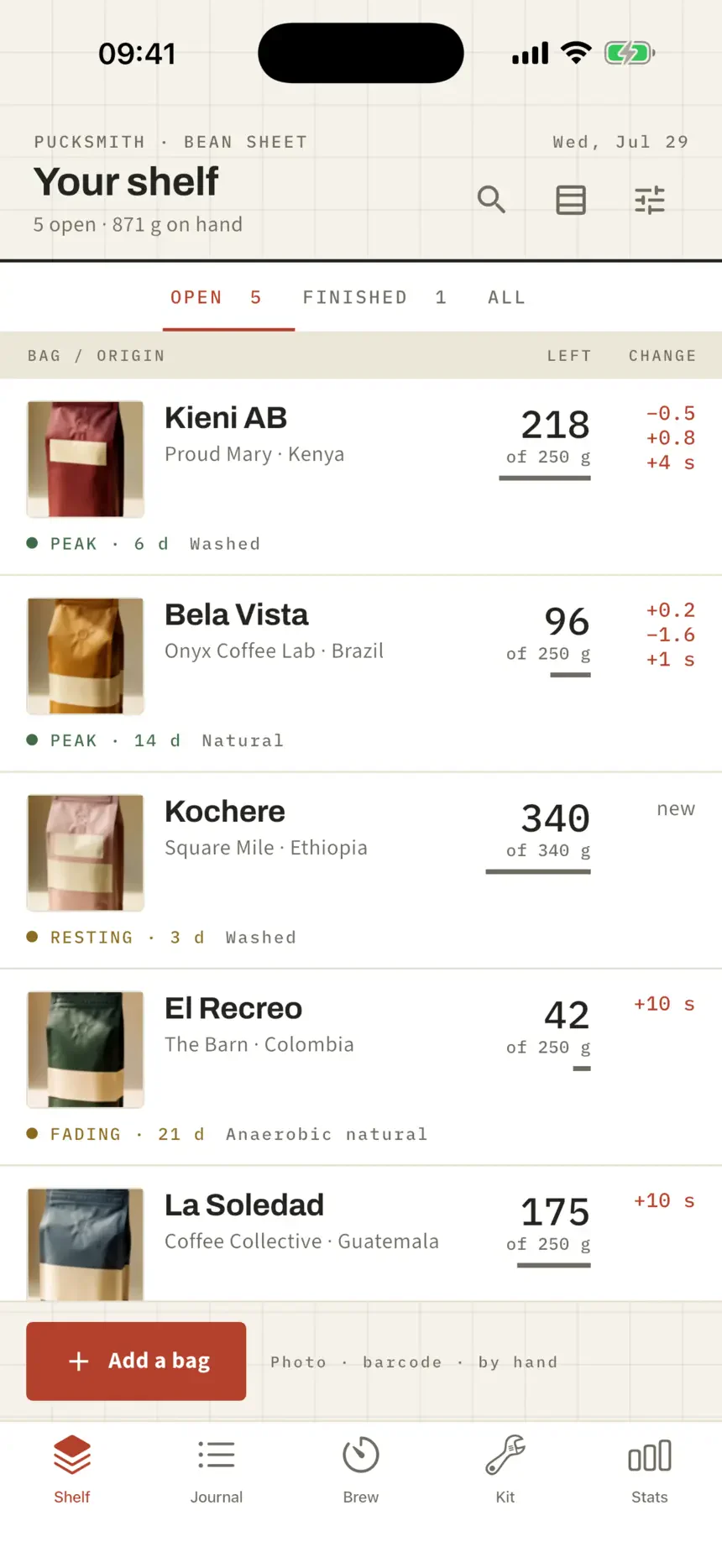
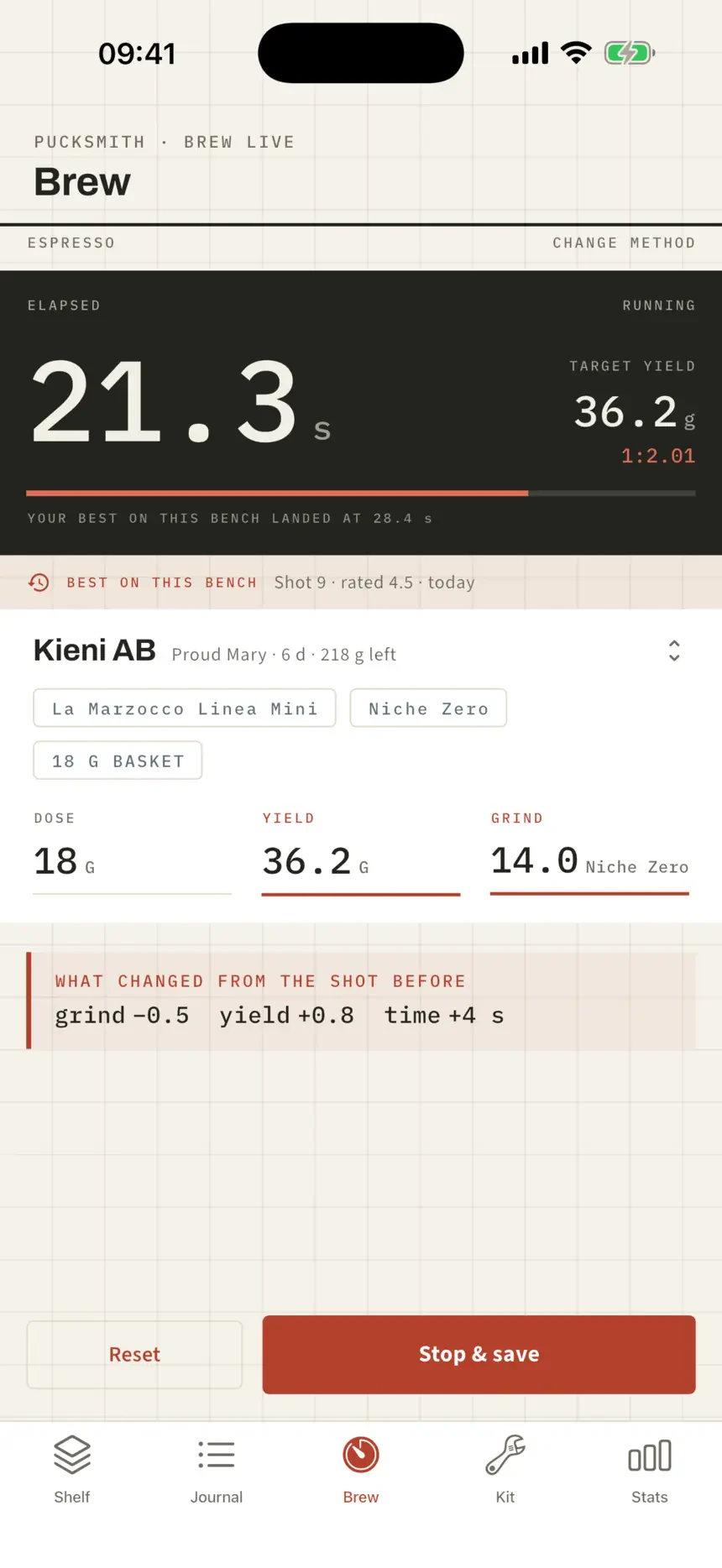
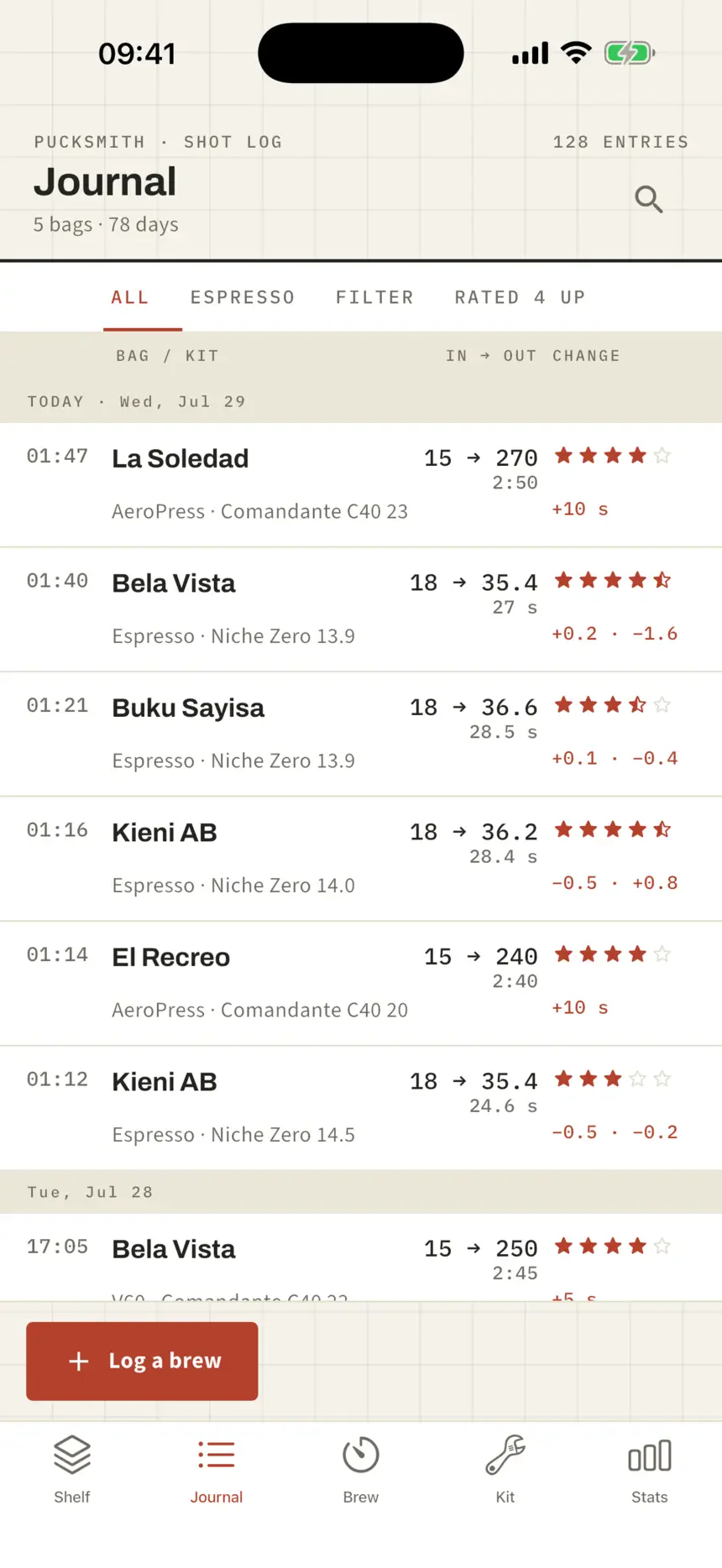
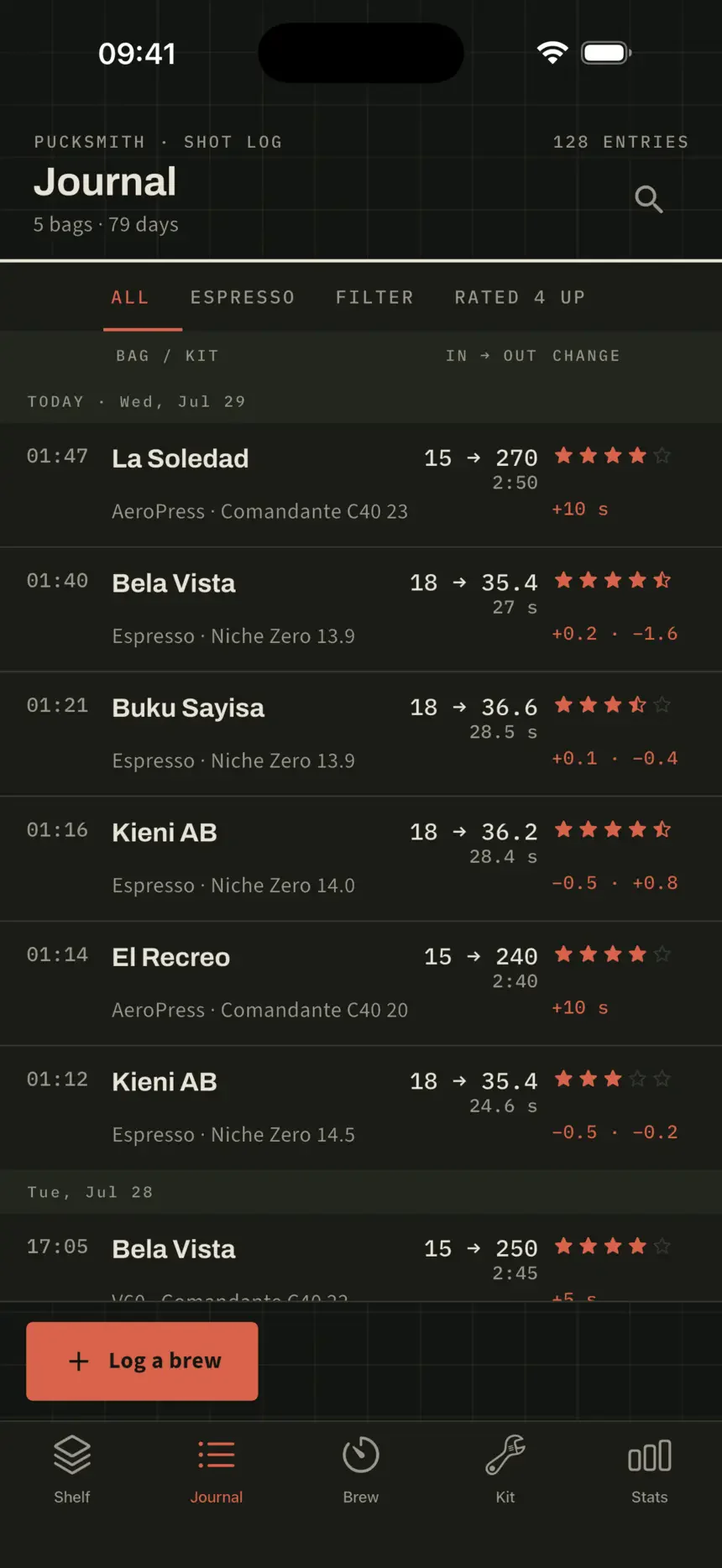
A shot on its own tells you nothing. A shot next to the one before it tells you what to do. Pucksmith writes the change in the margin of every entry: grind, yield, time, so the next move is already on the page.
| Shot | Yield | Time | Change |
|---|---|---|---|
| Mon | 34.1 g | 24 s | grind −1.0 |
| Wed | 35.4 g | 26 s | grind −0.5 |
| Sat | 36.2 g | 28 s | grind +0.2 |
One sheet, every machine
Wide on the desk. One thumb at the grinder.
On Mac and Windows the sheet opens all the way out: the shelf, the bag and the margin column side by side, with the change to make already written down the right-hand edge. On iPhone and Android it folds to a one-thumb log you can work with a portafilter in the other hand. Same records, no account joining them up.
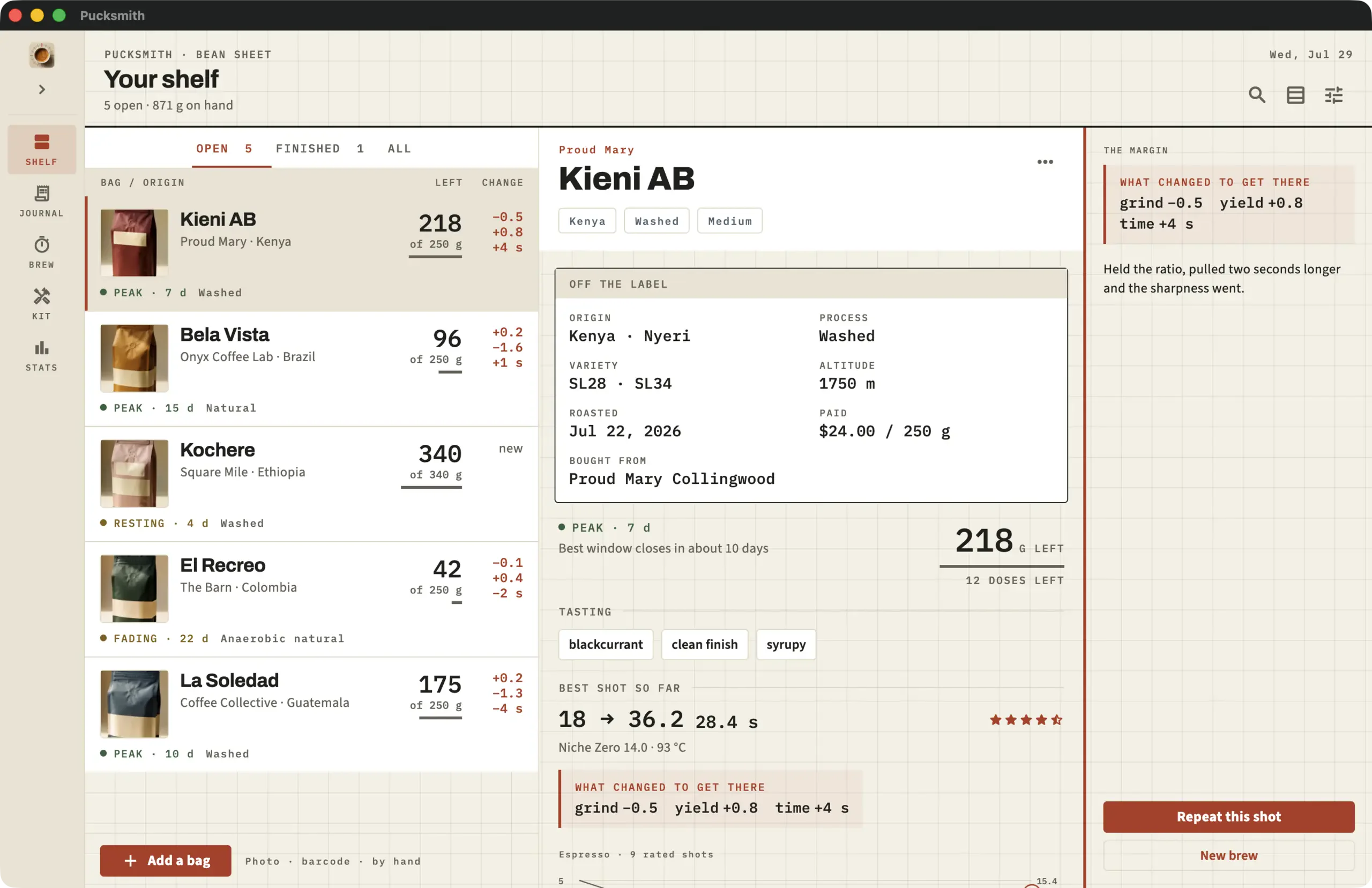
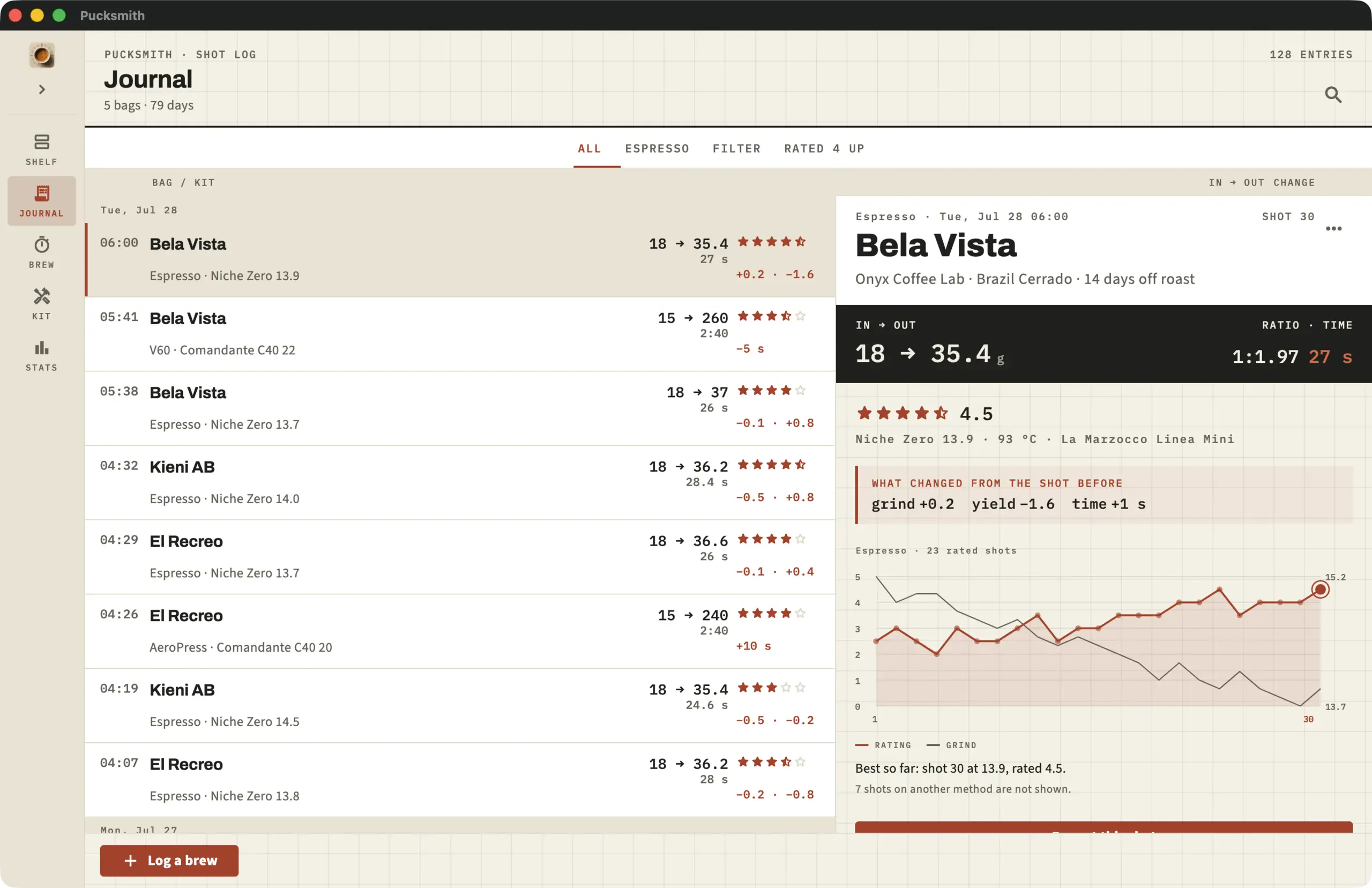
Needs iOS or iPadOS 18 or later, macOS 15 or later on an Apple silicon Mac, Android 10 or later, or Windows 10 build 17763 or later.
What it does
A reference sheet, not a social network.
No feed, no followers, no account. Pucksmith is the notebook that used to live next to the grinder, with the arithmetic already done. It is for home espresso and filter brewers who buy specialty beans by the bag and own real gear. If you track your brews in a notes app, a spreadsheet or your memory, this is the replacement.
Your best shot, ready to pull
Pucksmith remembers the highest-rated shot for each bag on the gear that is actually on your bench, and opens the next brew with those numbers.
Somewhere sane to begin
Espresso, V60, Chemex, AeroPress, moka, cold brew and more, each with a real ratio, dose, time and temperature. Your own shots outrank them the moment you log one.
What is open, and how fresh
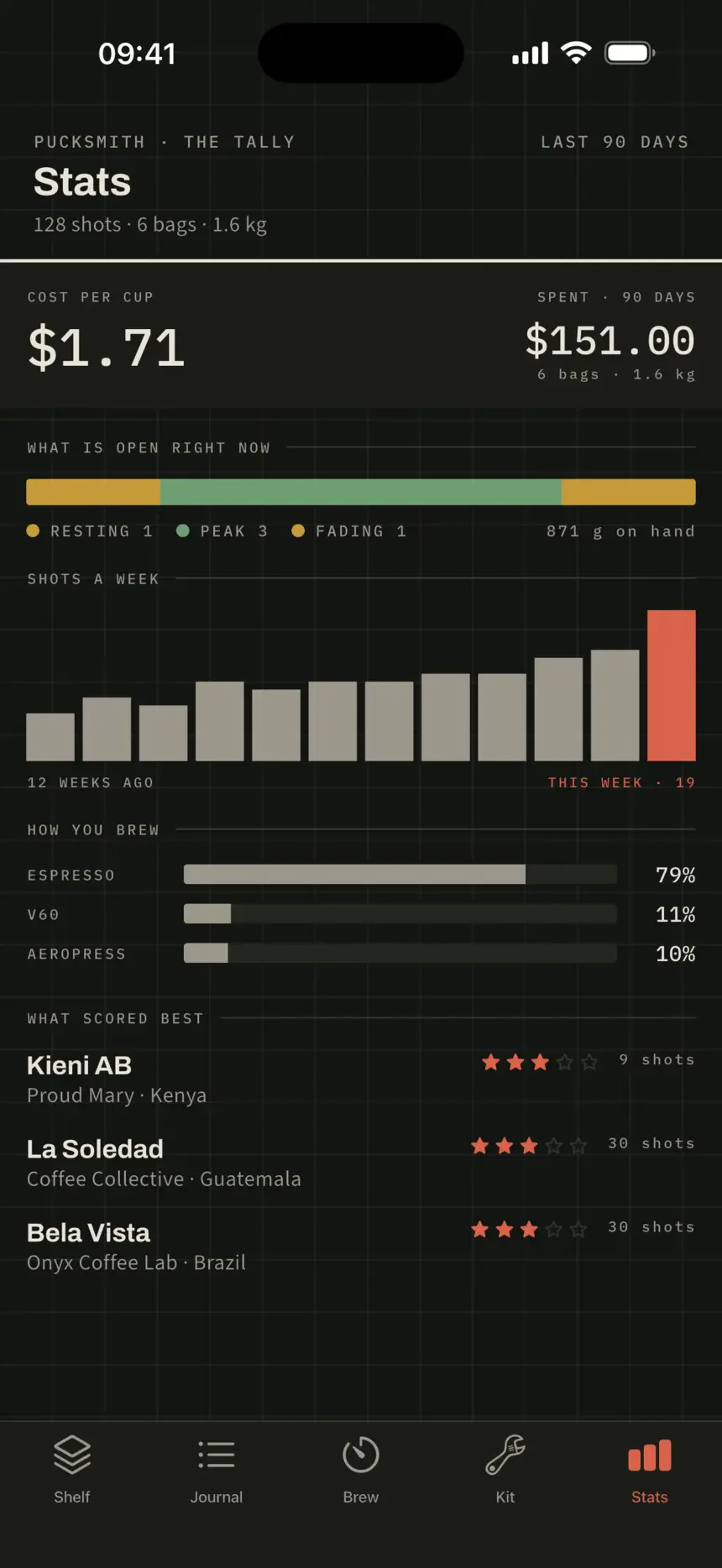
Every bag with grams left, doses remaining and where it sits in its window: resting, peak, or fading. Cost per cup, worked out from what you actually paid.
Photograph the bag
Point the camera at a label and Pucksmith reads the roaster, origin, process and roast date. Scan a barcode, or just type it, a miss opens the form, never a dead end.
Export and backup are free
CSV and JSON any time, and a one-file backup to iCloud Drive or anywhere you keep files. Restore onto a new phone and the whole sheet comes back.
No account, ever
Nothing you log leaves the device unless you send it. It works on a plane, in a basement, and on the day the service you signed up for shuts down.
Screens
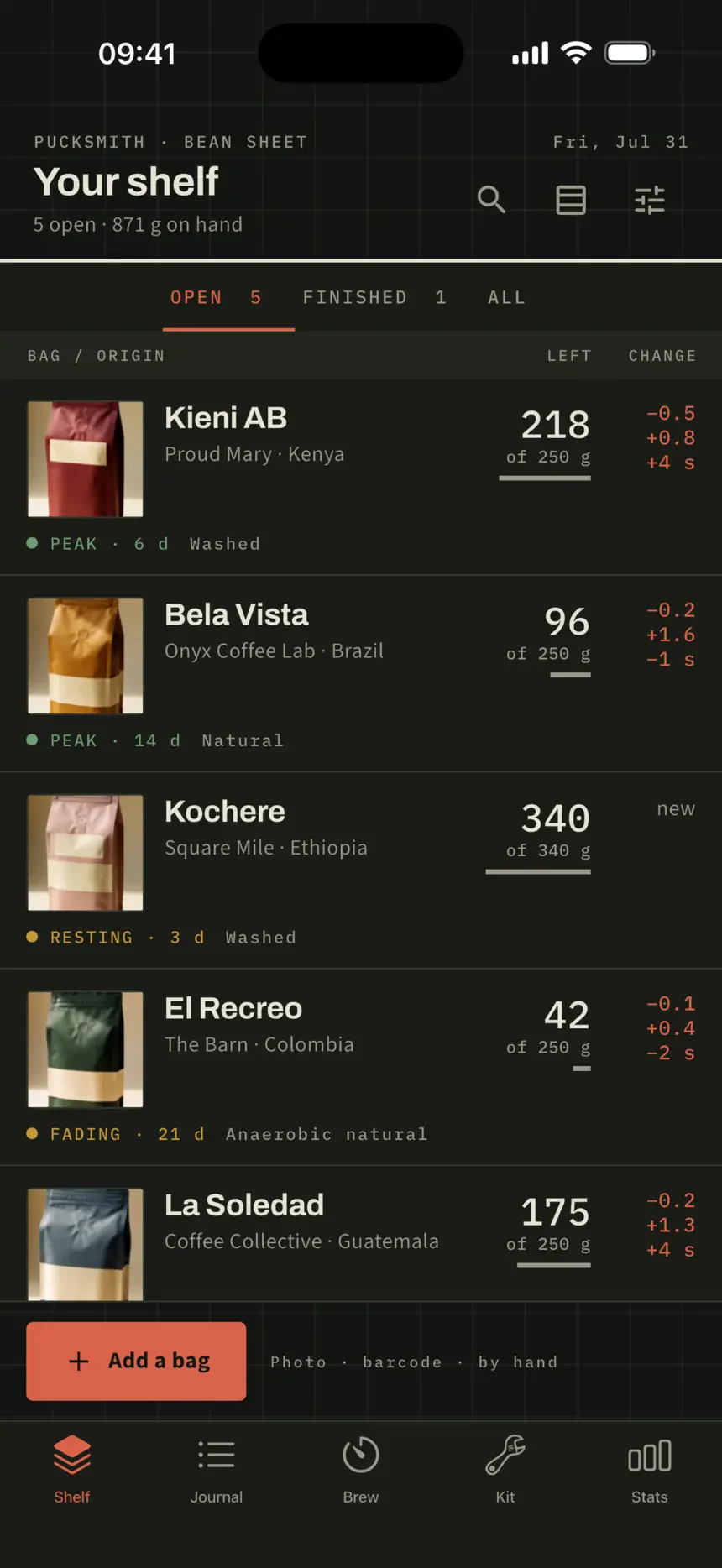
Ruled like paper, read like a gauge.
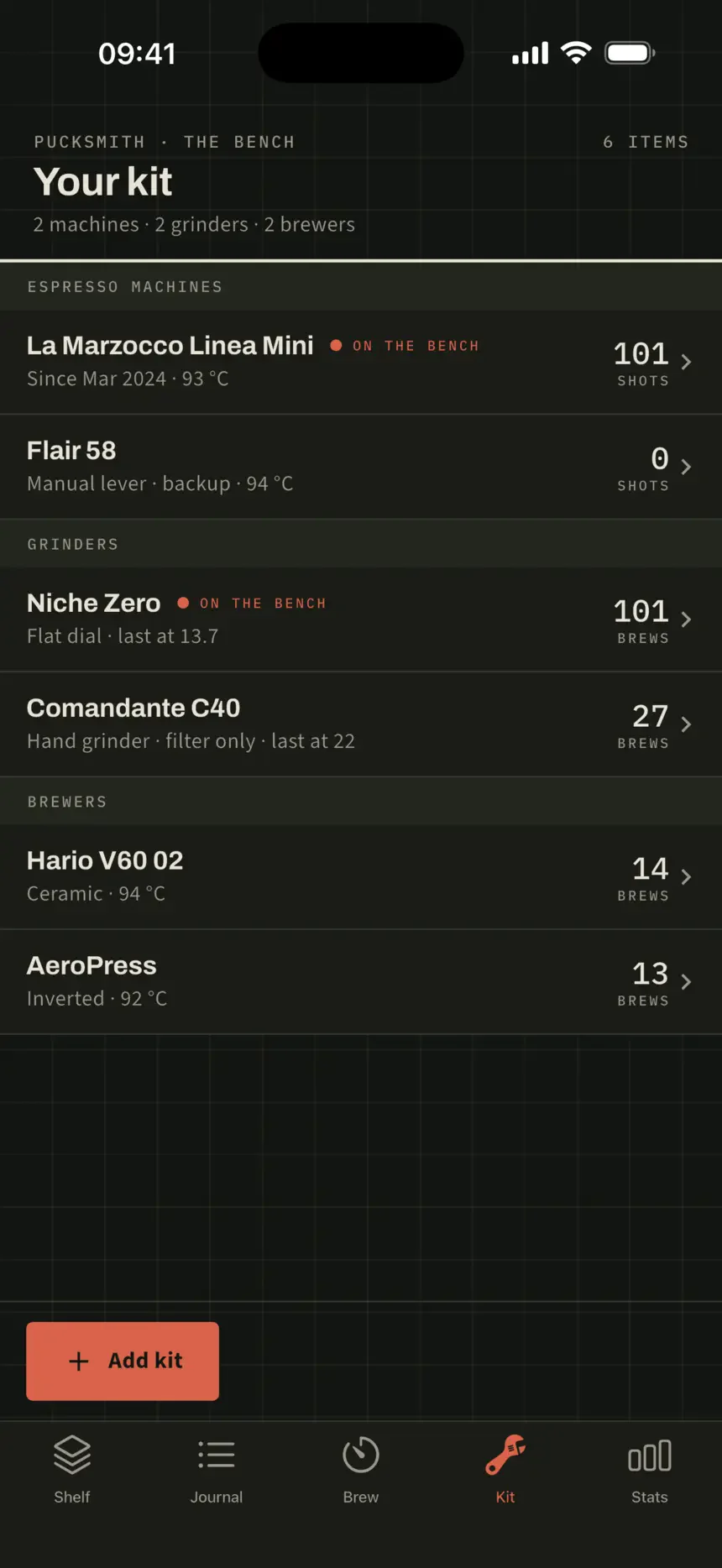
Every figure sits on a hairline rule where you expect it. Nothing floats, nothing bounces, and the one red mark on the page is always the thing that changed. In dark mode the sheet turns to slate and the ruling stays, shown here, because most people dial in early or late.
Pricing
Pay once. Keeps working.
No subscription. The log itself is never the thing being sold back to you. The free tier is the whole journal loop: unlimited bags, unlimited history and three photo or barcode captures included. Pucksmith Pro is US$19.99, paid once, and it is yours for life.
Free
The whole log
- Unlimited bags and unlimited history
- The whole brew log and the margin delta
- Quick Brew and all fifteen starting points
- Search, export, backup and restore
Pucksmith Pro
US$19.99 once not a subscription
- The dial-in graph: every rating against the grind
- Photo and barcode capture, after your first three
- The full tally: cost per cup, twelve weeks of shots
- The designed Dial Sheet as a printable PDF
The free tier is not a trial and does not expire. Pro is bought once on the store you use and unlocks on every device signed in to that account, with Family Sharing on Apple. Current pricing is shown on your app store, it varies by country.
Before you download
Questions
What is Pucksmith?
Pucksmith is a coffee journal and espresso dial-in log for iPhone, iPad, Mac, Android and Windows. It keeps every bag on one shelf and every brew against dose, yield, time, grind and taste. A margin strip shows what changed since the last shot, so the next bag dials in faster.
Who is Pucksmith for?
Home espresso and filter brewers who buy specialty beans by the bag and own real gear: a machine, a grinder, a V60, a Chemex, an AeroPress or a French press. If you track brews in a notes app or spreadsheet, it replaces that. It is not for cafés, roasters or social sharing.
How much does Pucksmith cost? Is there a subscription?
The free tier is the whole journal: unlimited bags, unlimited history, the margin delta, all fifteen starting points, export and backup, plus three photo or barcode captures. Pucksmith Pro is US$19.99, paid once, and unlocks the dial-in graph, unlimited capture, the full tally and the Dial Sheet PDF. There is no subscription.
Which platforms does Pucksmith run on?
Pucksmith runs on iPhone, iPad, Mac, Android and Windows. On Mac and Windows the sheet opens wide, with the shelf, the bag and the margin column side by side, and prints a Dial Sheet PDF. On phones it folds to a one-thumb log. There is no cloud sync. Move the log between devices with the one-file backup.
Do I need an account? Is my data private?
No account, ever. Pucksmith has no sign-up and no login. Everything you log stays on your device and nothing leaves it unless you export or send it. There are no ads and no tracking. It works offline, on a plane or in a basement, and does not depend on any service staying up.
Can I back up or export my brew log?
Yes, and it is free. Export the whole log to CSV or JSON at any time. Make a one-file backup to iCloud Drive or anywhere you keep files, then restore it on a new phone or a desktop and the whole sheet comes back. Your data is never locked inside the app.
Is Pucksmith an alternative to Beanconqueror?
Yes, if you want something lighter with a real desktop app. Beanconqueror is free and deep, but dense, has no desktop app and is donation-ware. Pucksmith is curated: fifteen starting points, a margin strip that shows what changed, one-tap repeat of your best shot, and Mac and Windows apps. It is a supported, priced product.
Is Pucksmith an alternative to Filtru without a subscription?
Yes. Filtru is iOS only and charges a monthly subscription, and it leads with guided brewing. Pucksmith is a vault and journal first, runs on iPhone, iPad, Mac, Android and Windows, and Pro is US$19.99 paid once. There is nothing to renew and the free tier never expires.