Selvage app icon

Fabric stash and sewing library

Know every yard you own.

Selvage keeps your fabric, patterns, notions and projects together, and shows how much cloth is really left before you cut. No account needed.

Get Selvage

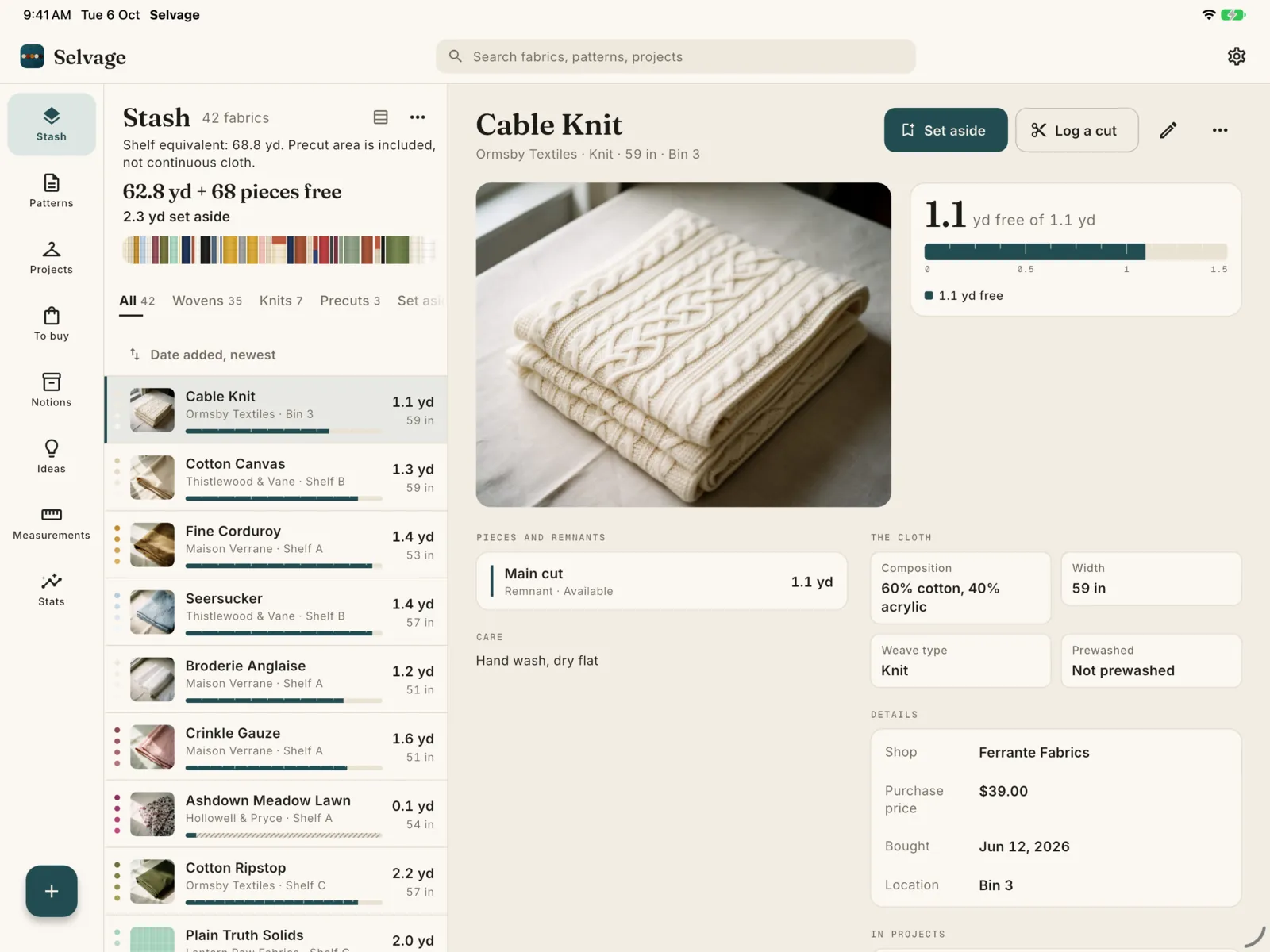
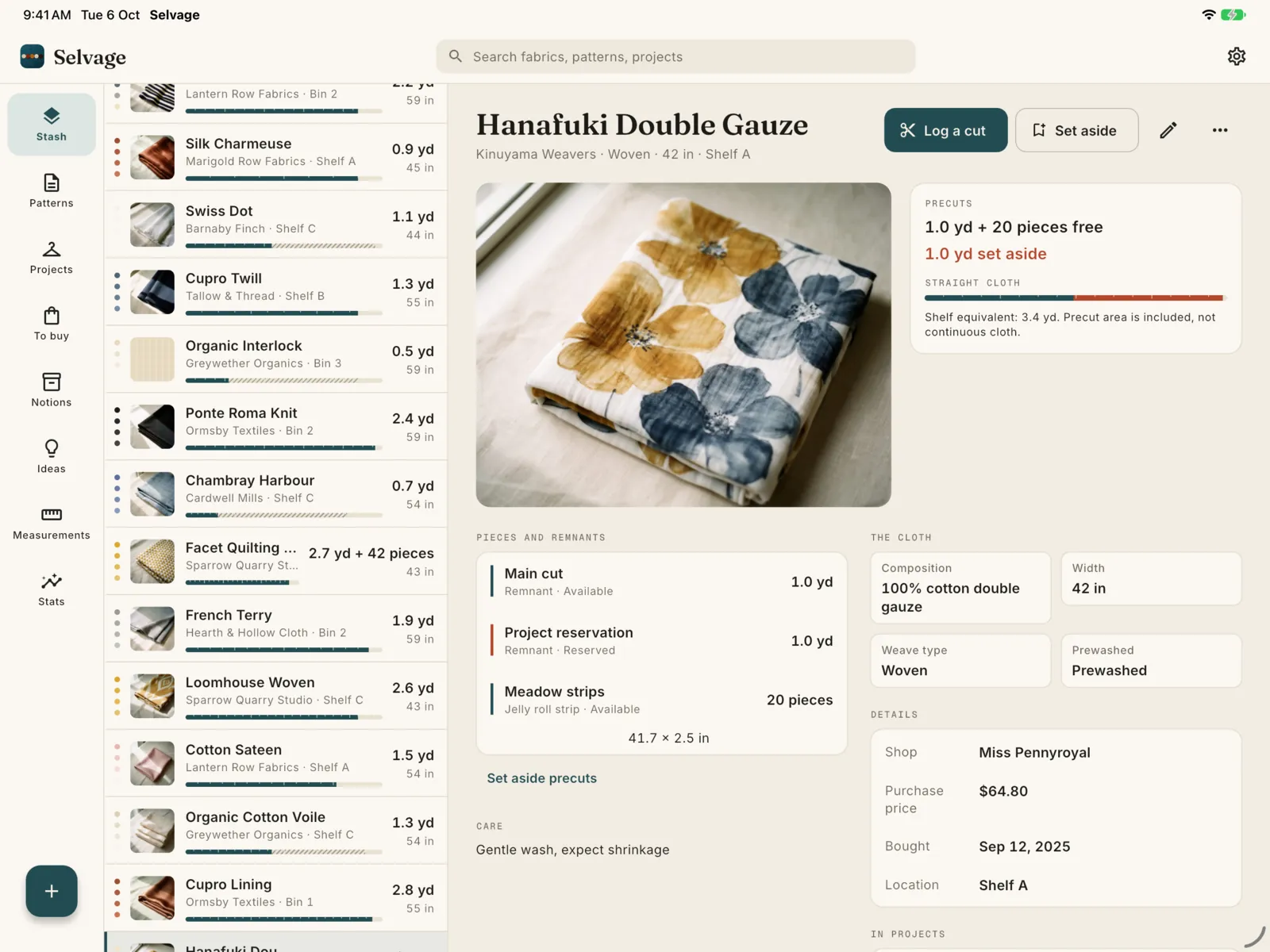
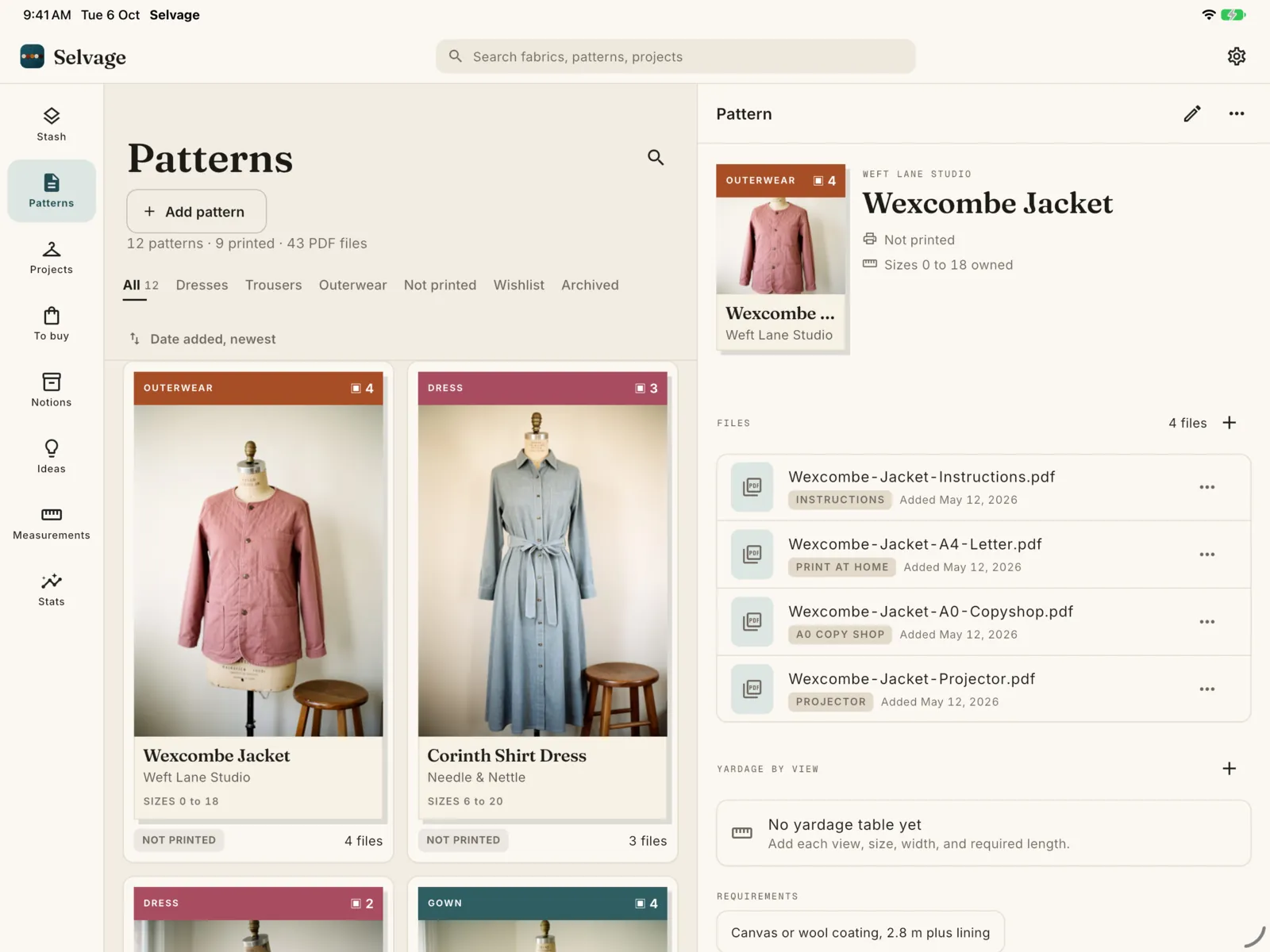
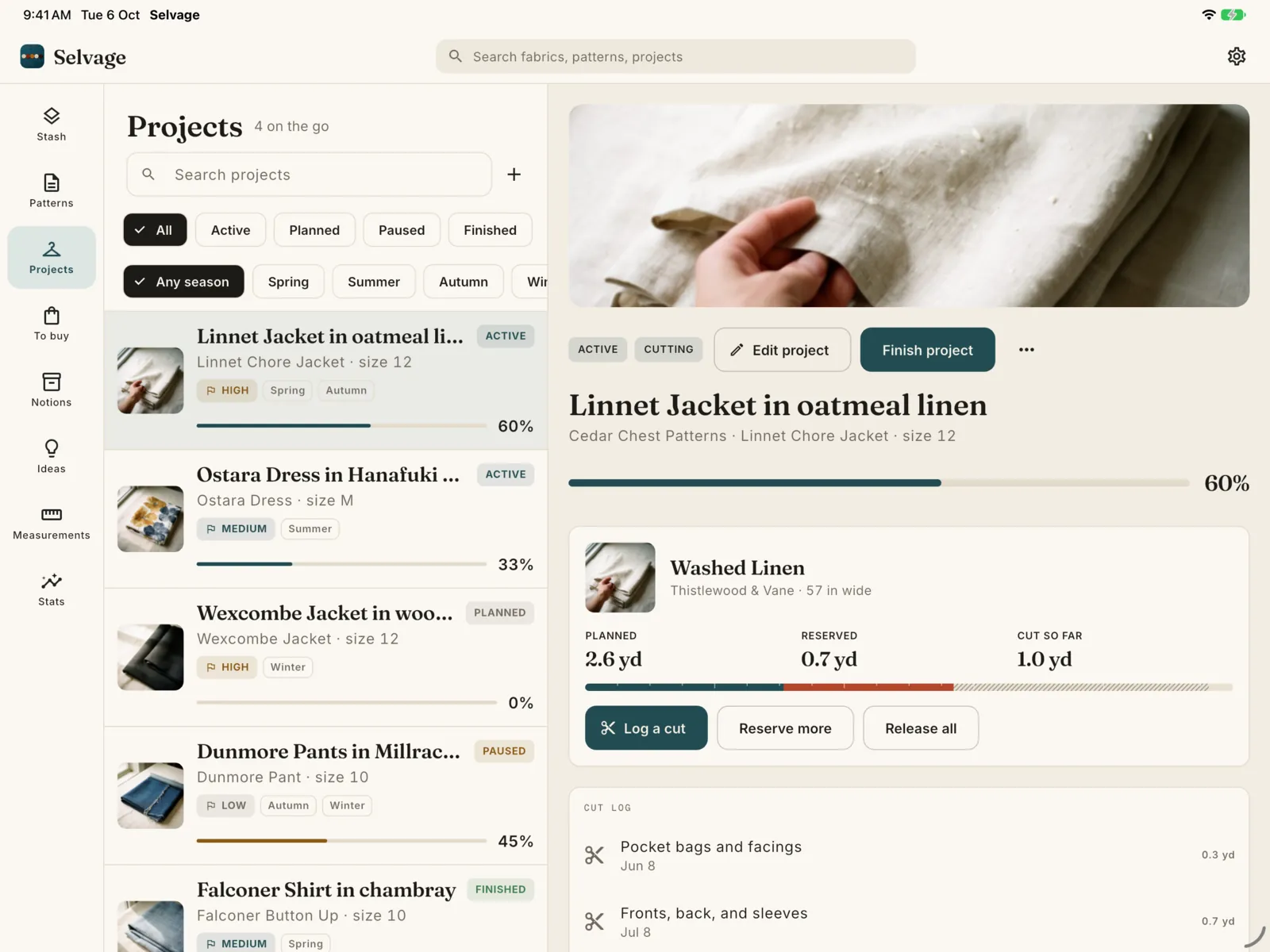
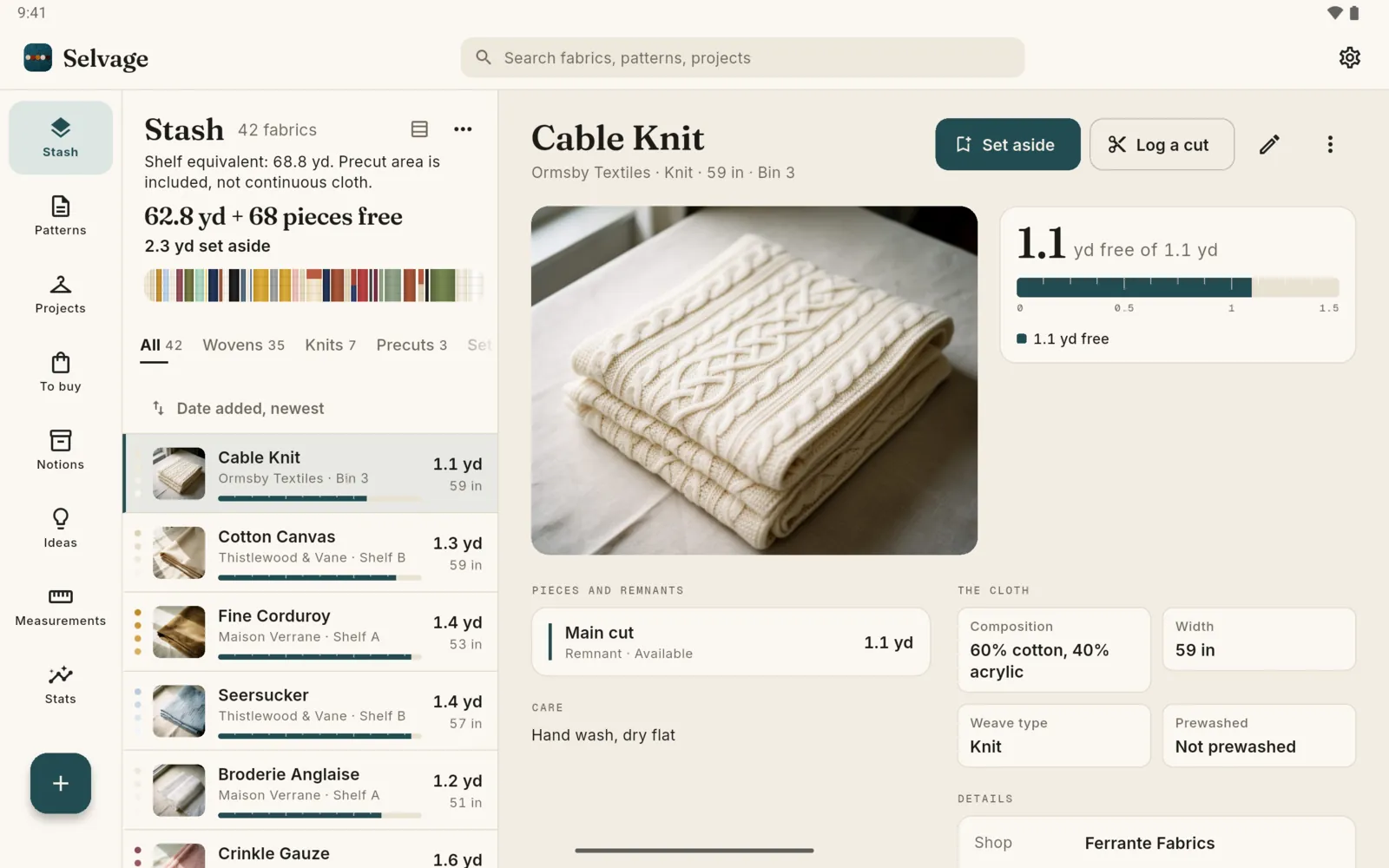
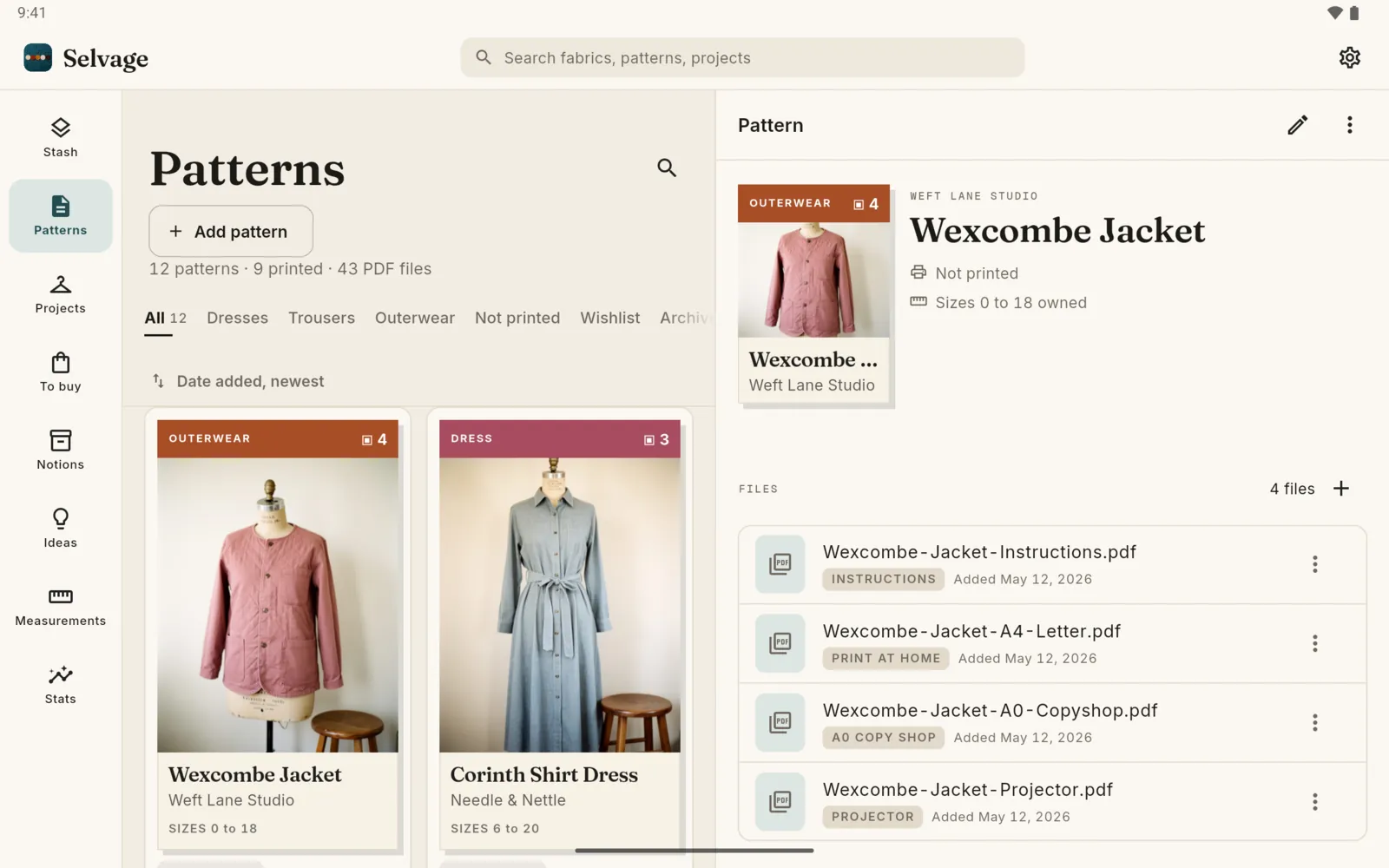
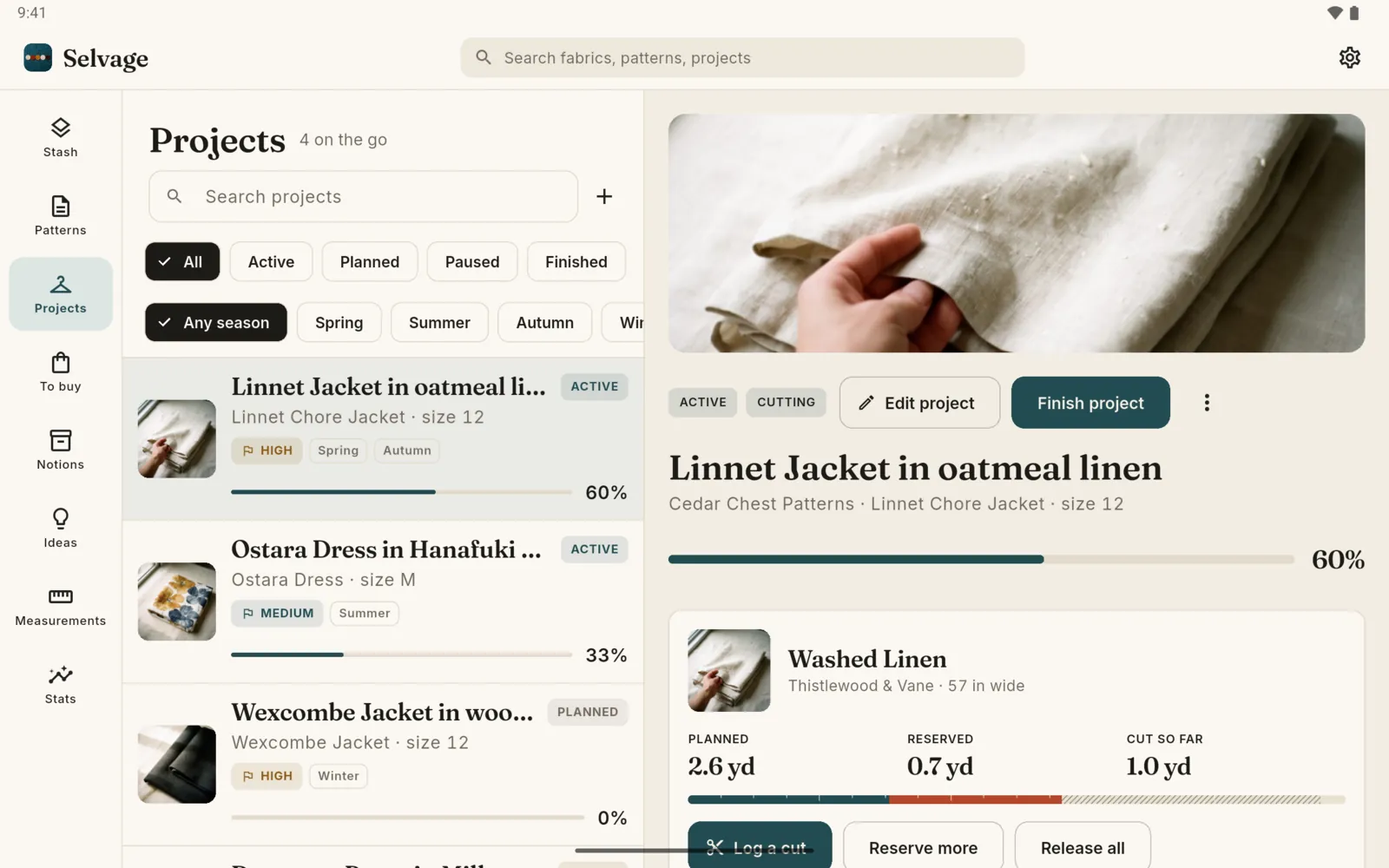
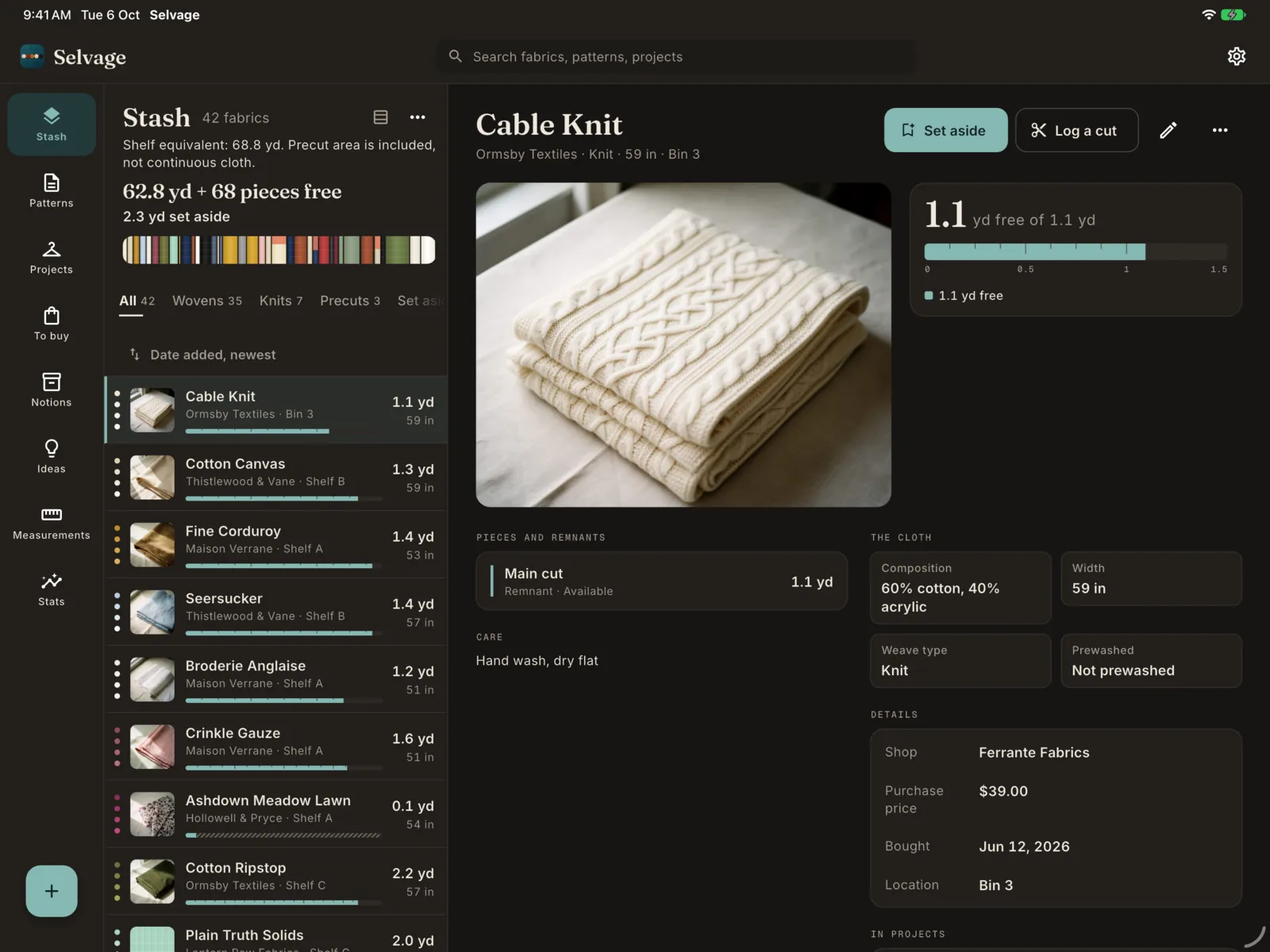
Selvage on iPad: the stash list beside the Cable Knit fabric, 1.1 yd free of 1.1 yd The Hanafuki Double Gauze fabric on iPad: 1.0 yd and 20 precut pieces free, 1.0 yd set aside Patterns on iPad as document covers, beside the Wexcombe Jacket and its files Projects on iPad, beside a linen jacket that is 60 percent done with its planned, reserved and cut fabric
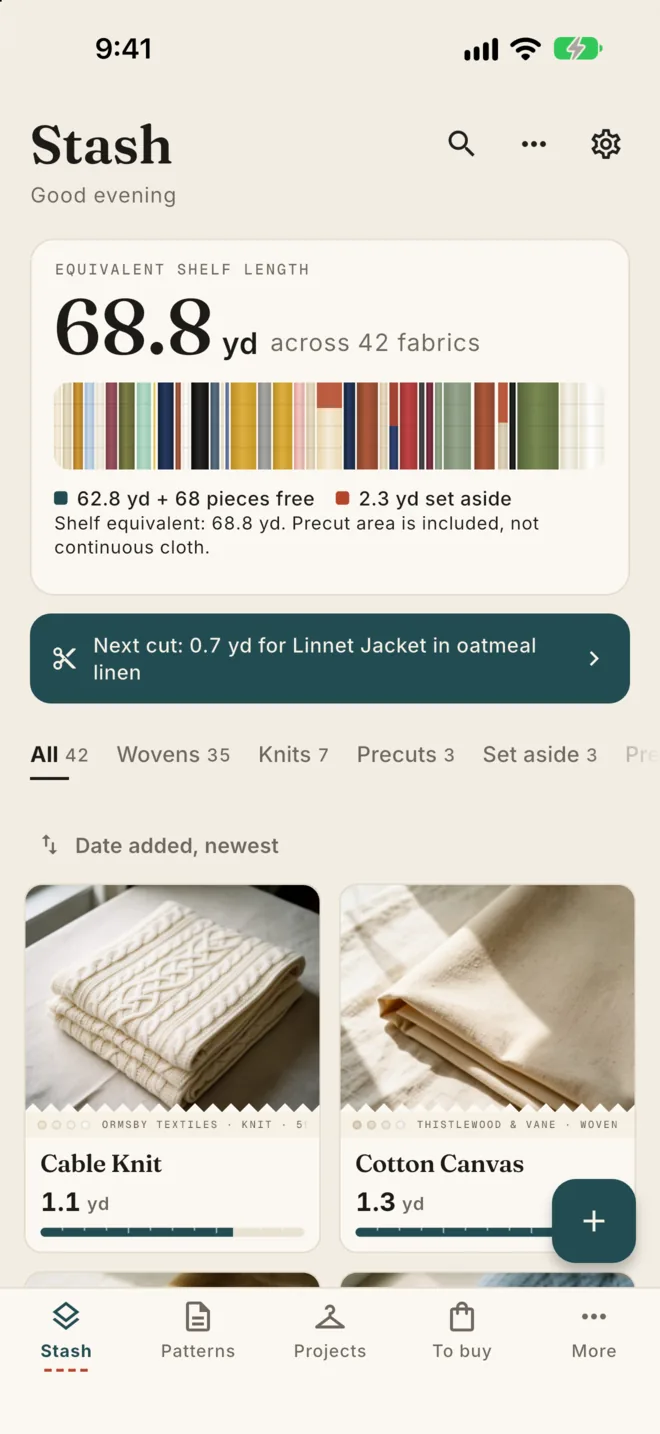
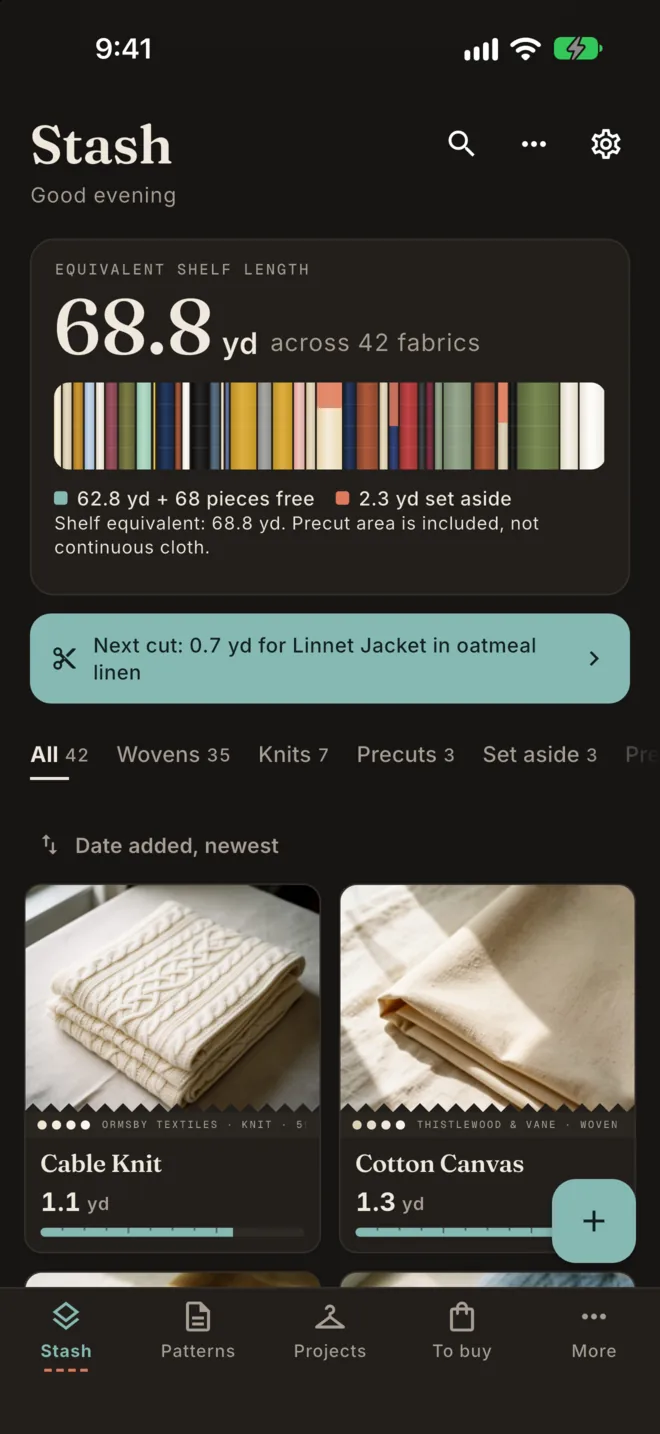
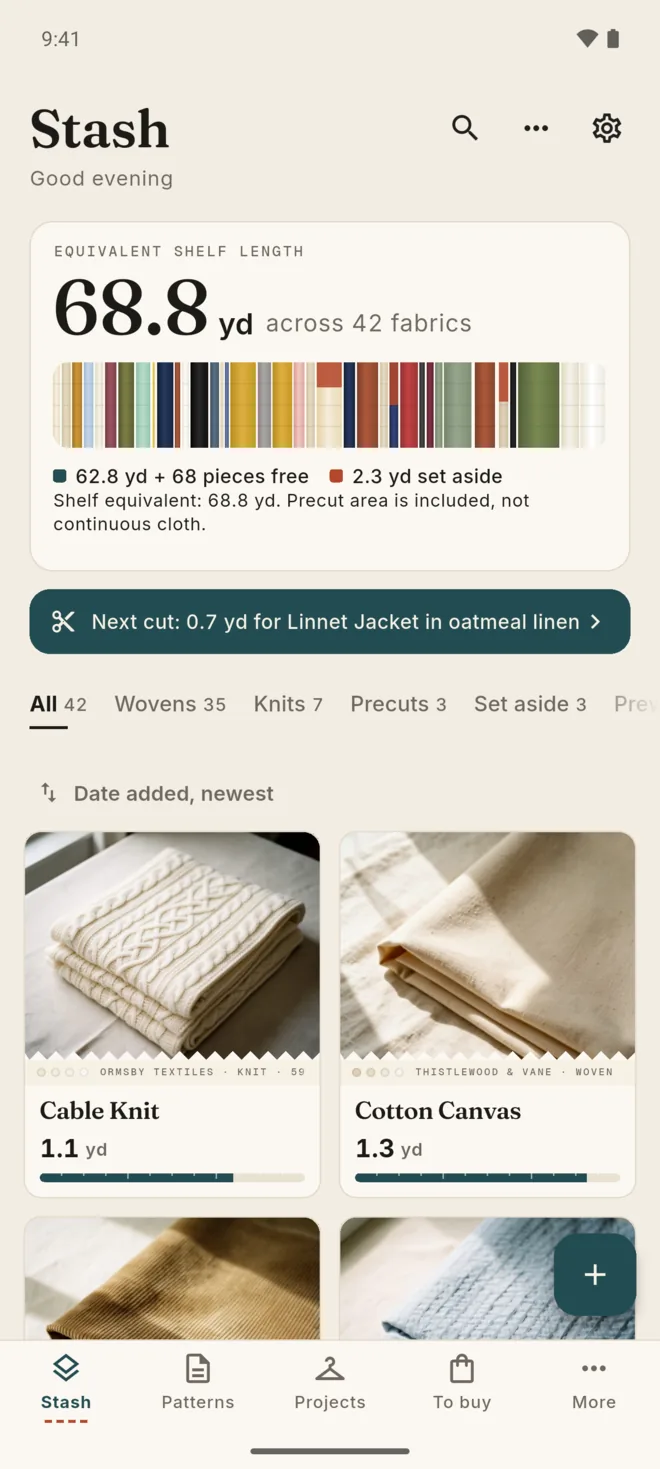
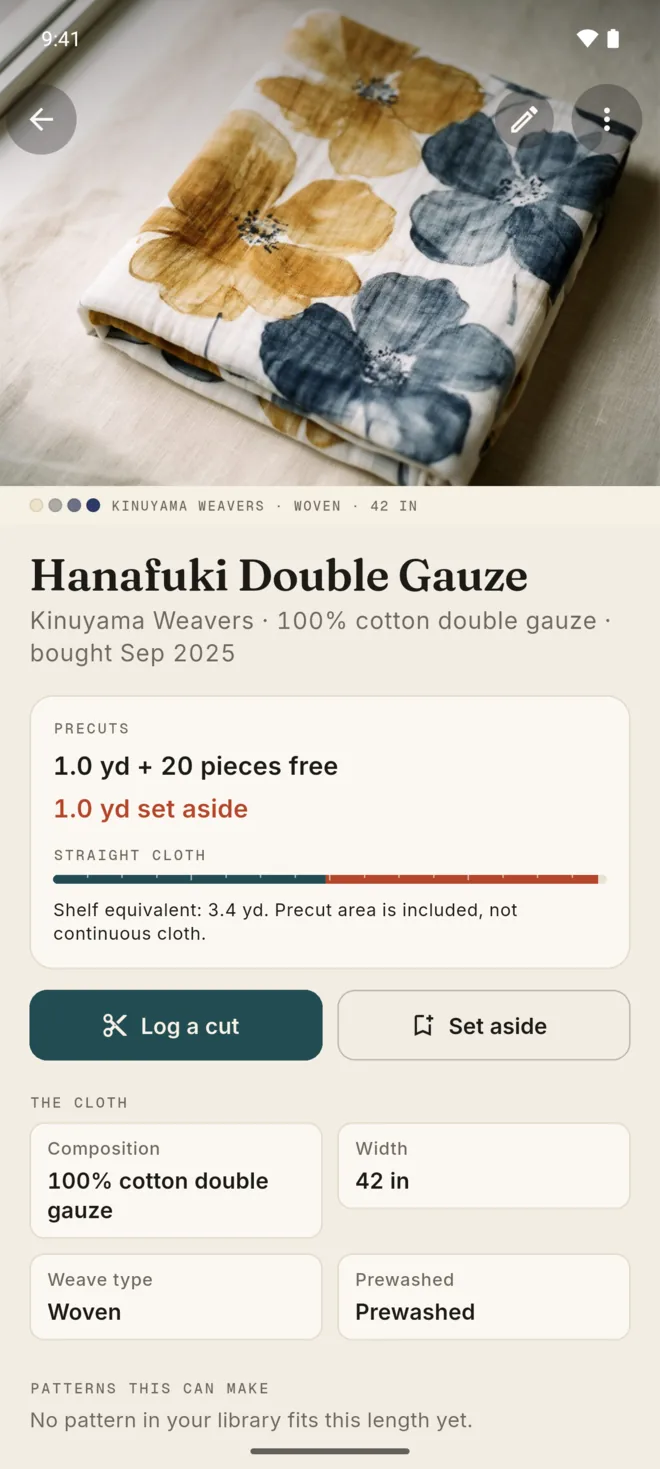
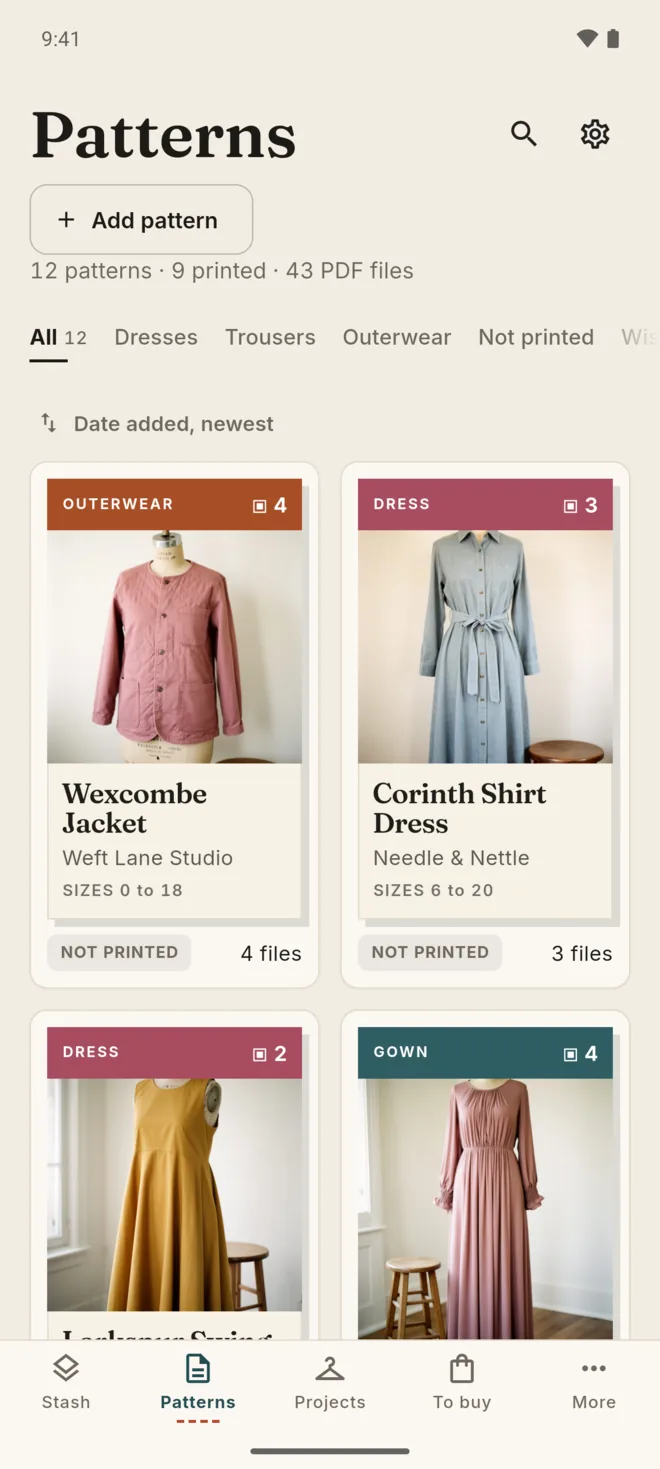
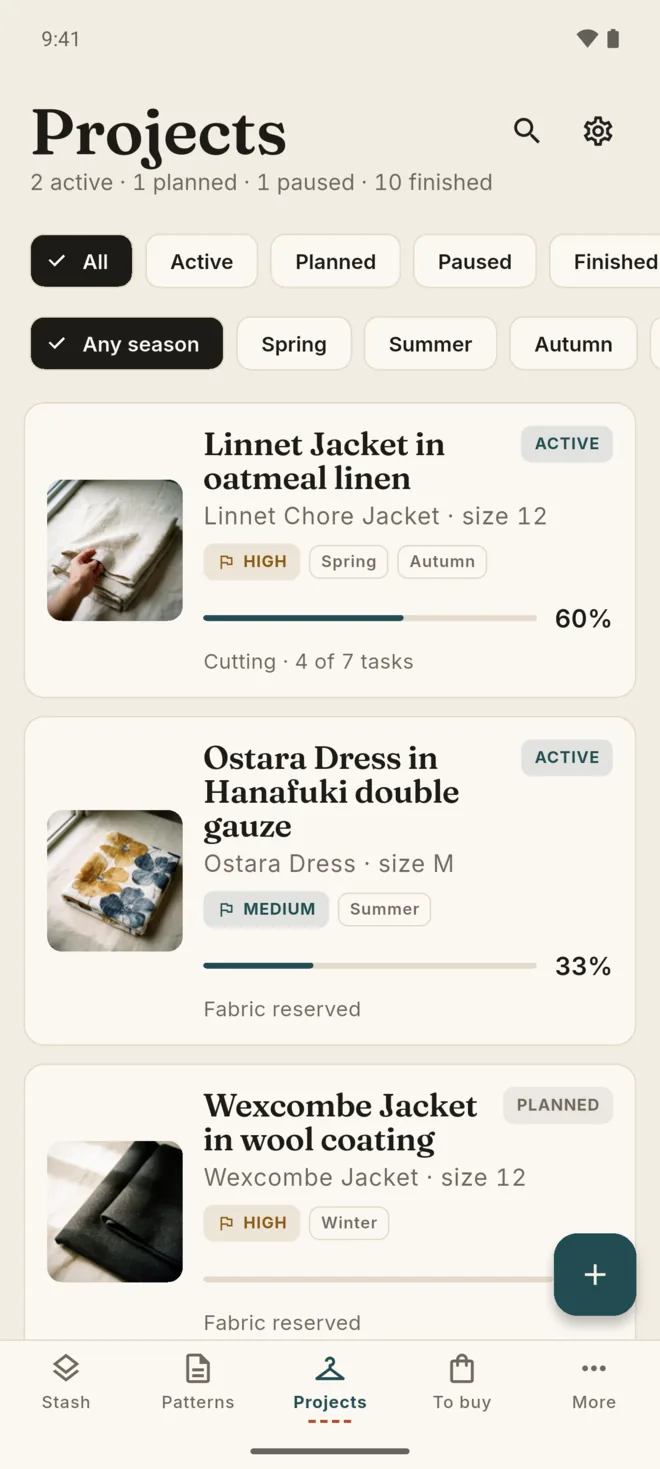
The Stash screen on iPhone: 68.8 yd across 42 fabrics, with a strip of fabric colours and a photo grid A fabric on iPhone with its free and set-aside yardage Patterns on iPhone as document covers Projects on iPhone with progress for each make The To buy list on iPhone, with items added from project shortfalls

Your stash, cut by cut.

Every fabric keeps its real yardage: what is free, what is set aside for a make, and what you have already cut.

  • Width, composition, weave, care, where you bought it and which shelf it lives on
  • Remnants, fat quarters and precuts kept with the main cut
  • Lengths are stored in metric and shown in metres or yards, as you choose
  • Paste a shop link to fill in its title and photo, or let Selvage read the text in a fabric photo on your device
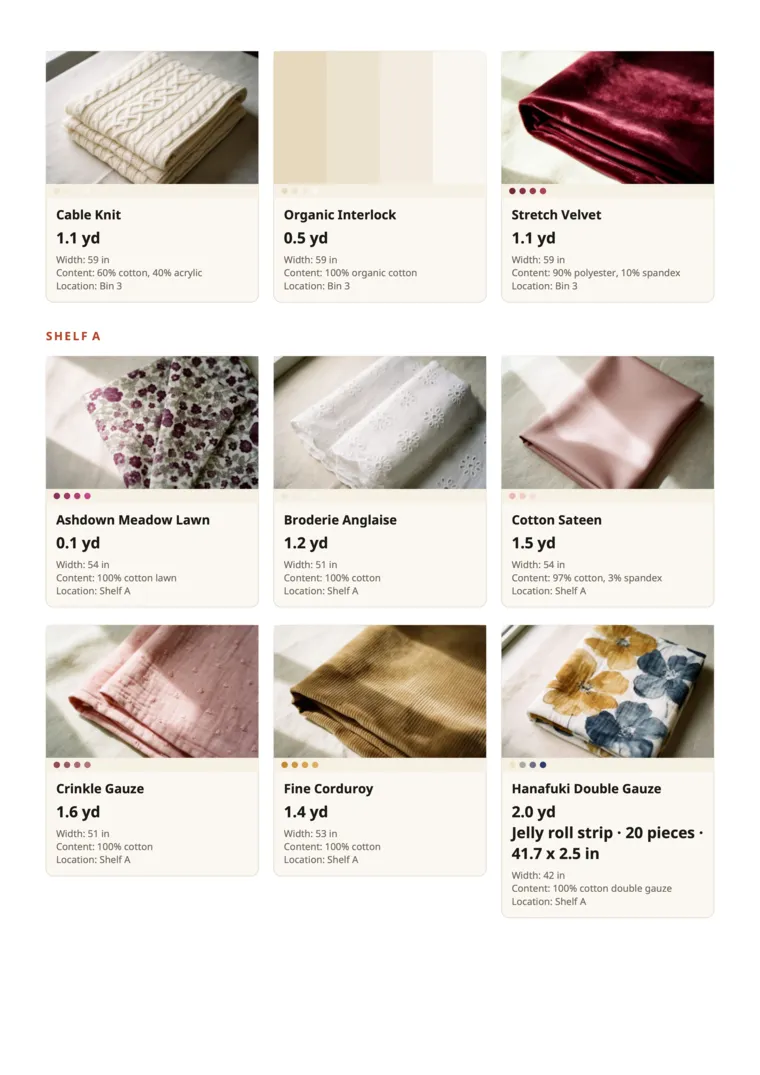
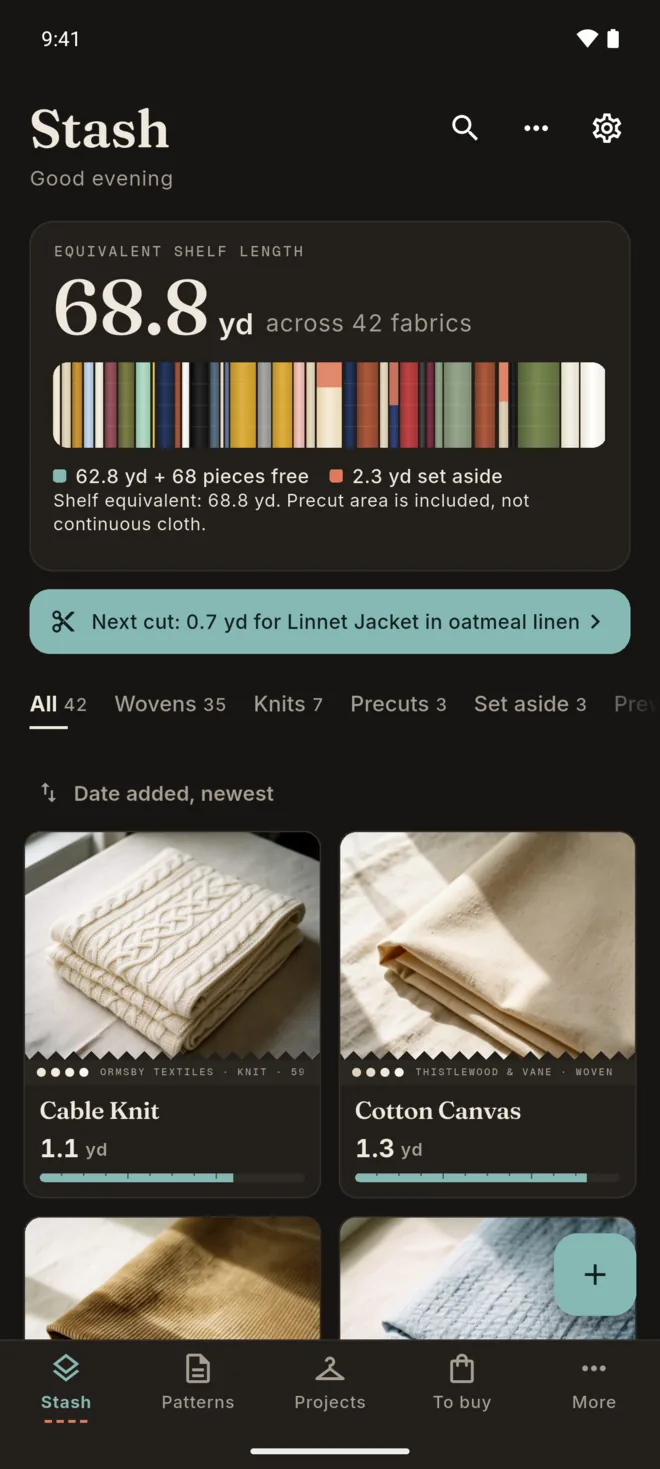
Stash: 68.8 yd across 42 fabrics, 2.3 yd set aside, and a grid of fabric photos
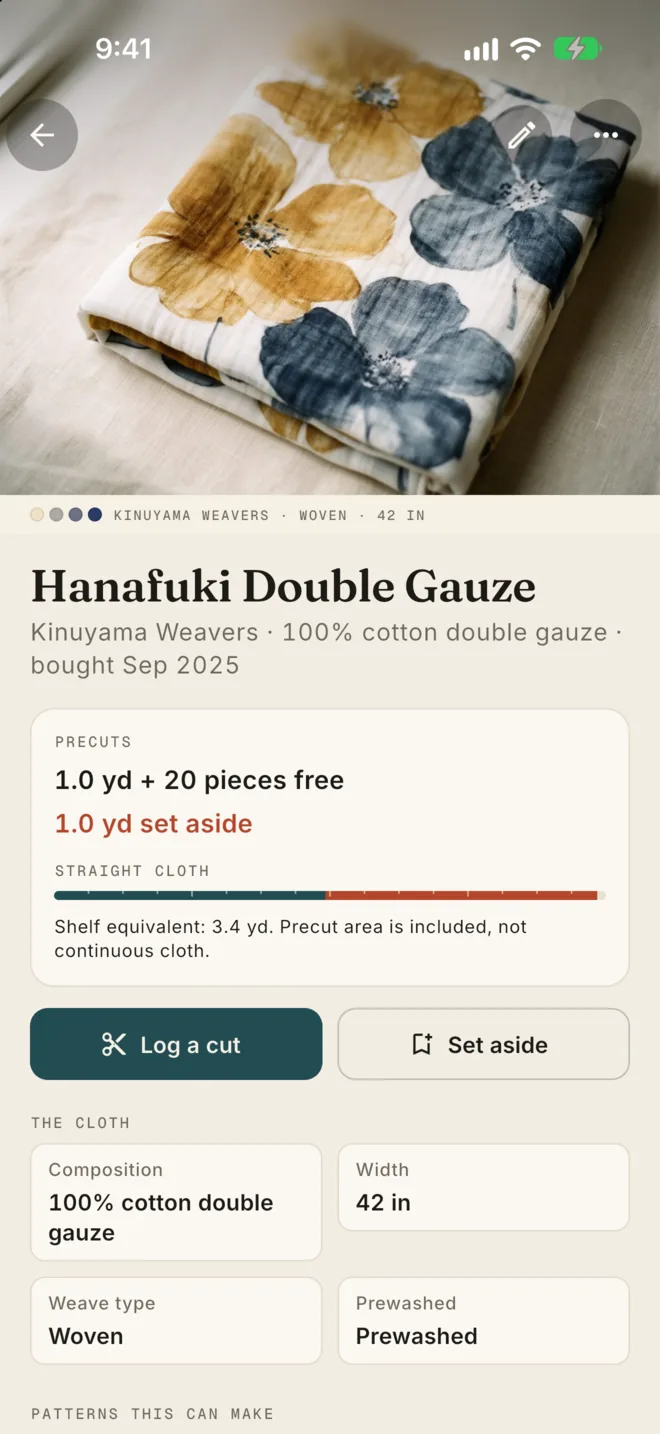
Hanafuki Double Gauze: 100% cotton, 42 inches wide, 1.0 yd and 20 pieces free, 1.0 yd set aside, with Log a cut and Set aside buttons

Every pattern, ready.

Import pattern PDFs or ZIP files and keep them with the sizes you own and the yardage each view needs.

  • Sort files into instructions, print at home, copy shop and projector
  • See which patterns are printed and which are not
  • Yardage by view and size, checked against your stash
  • Open any file in your device's own viewer
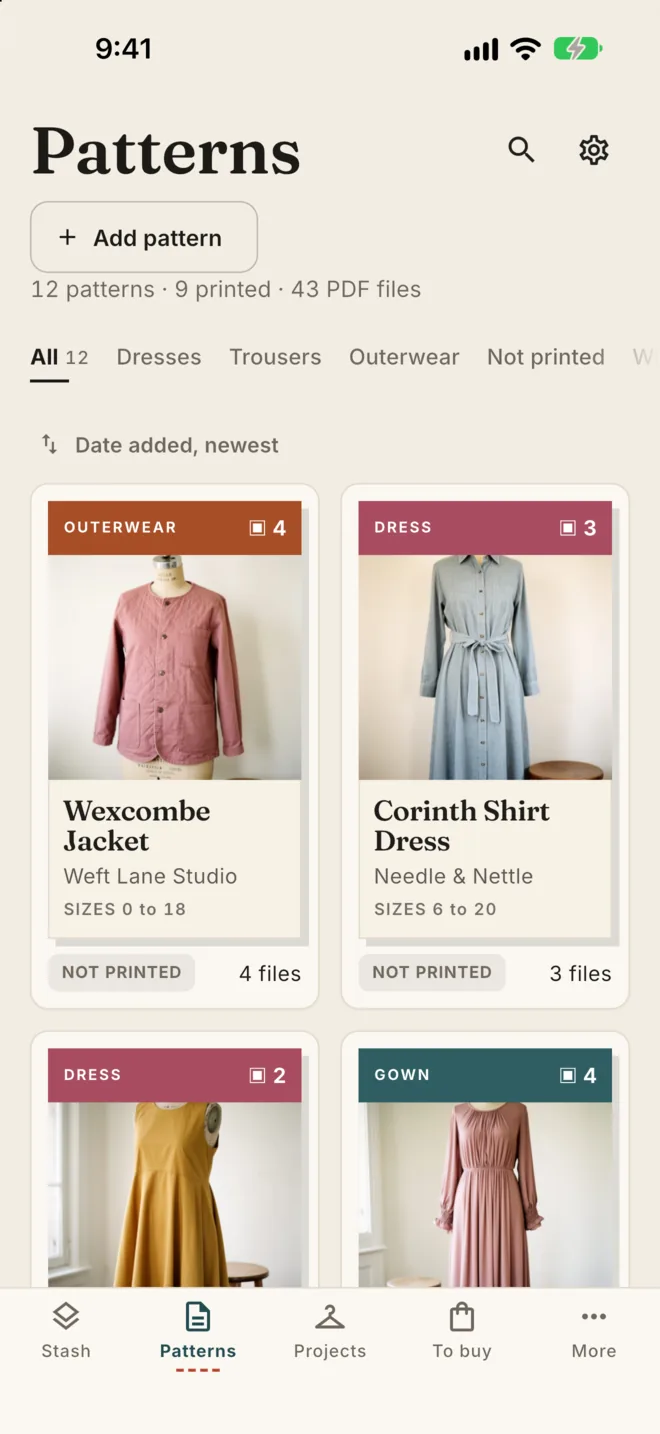
Patterns: 12 patterns, 9 printed, 43 PDF files, shown as covers such as the Wexcombe Jacket and the Corinth Shirt Dress

Plan the whole make before you cut.

Link fabric, a pattern, notions, measurements and a checklist to each project. Selvage checks your shelf first, then lists what is still missing.

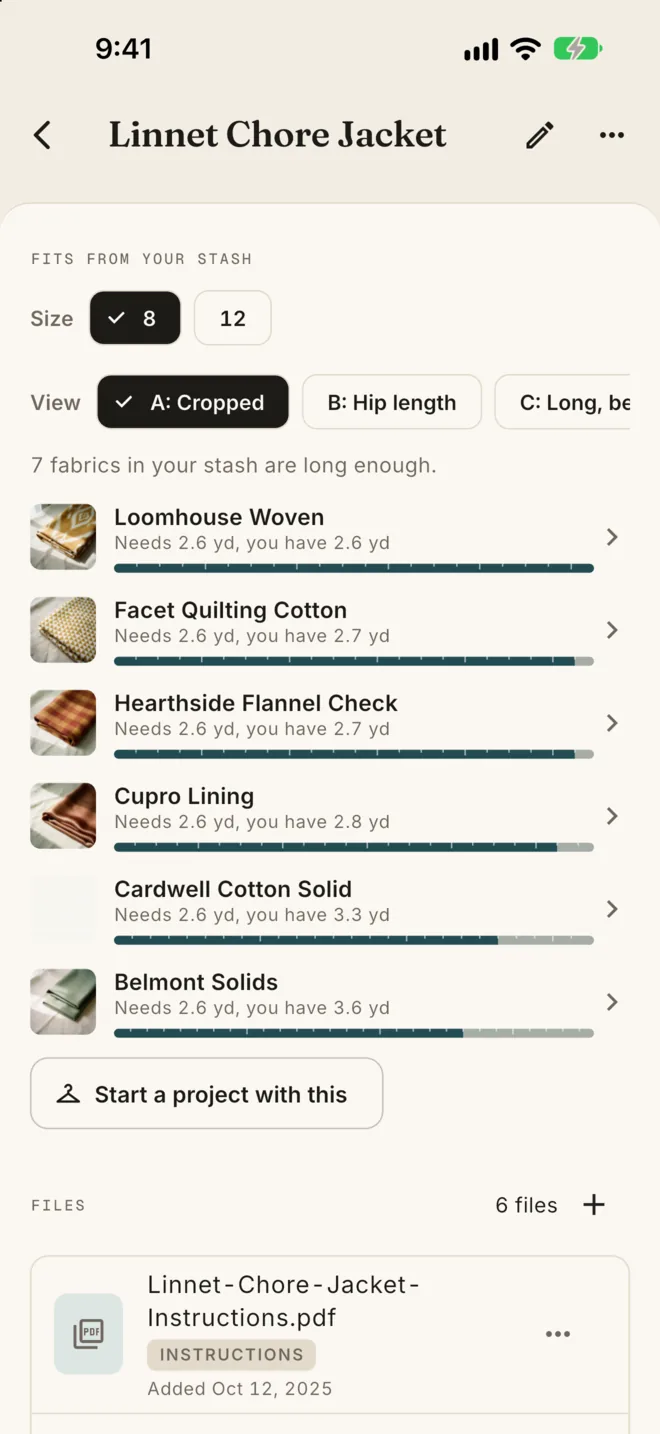
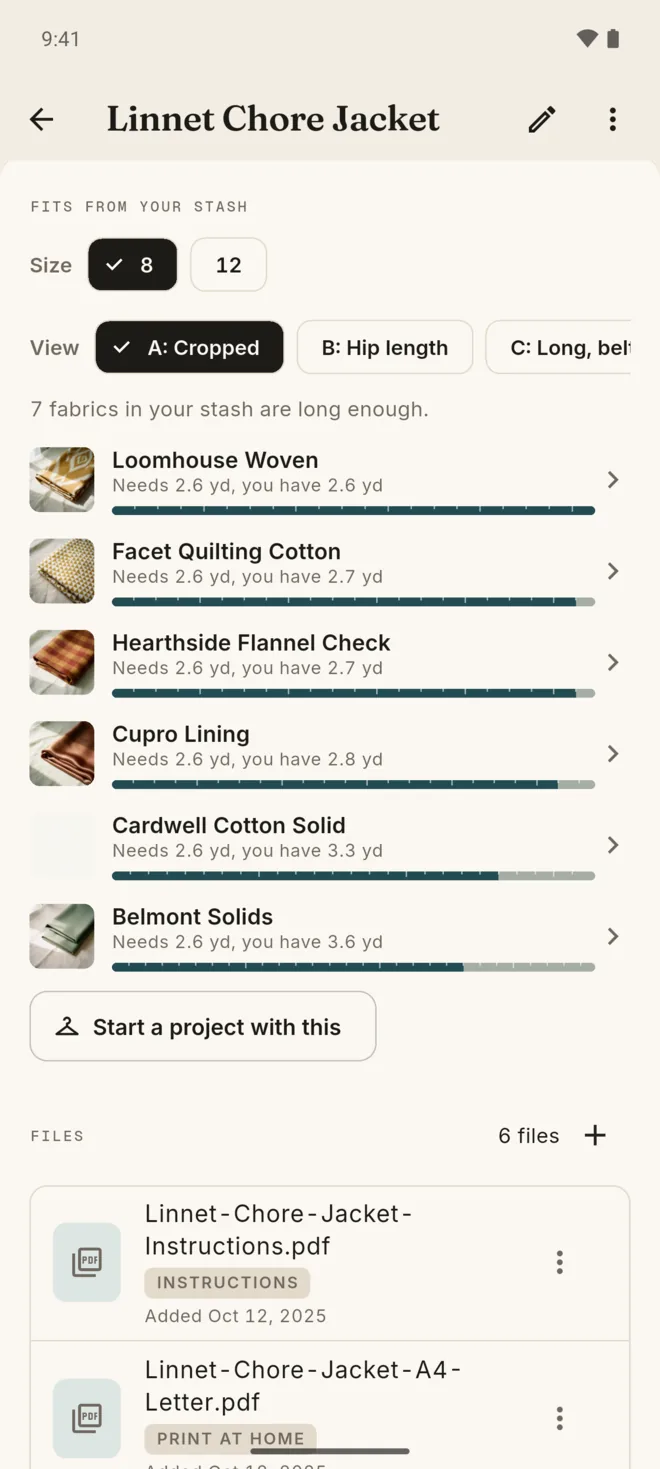
The Linnet Chore Jacket in size 8, view A: 7 fabrics in your stash are long enough, with Start a project with this
Shop your shelf firstPick a pattern, size and view, and see which fabrics you own are long enough.
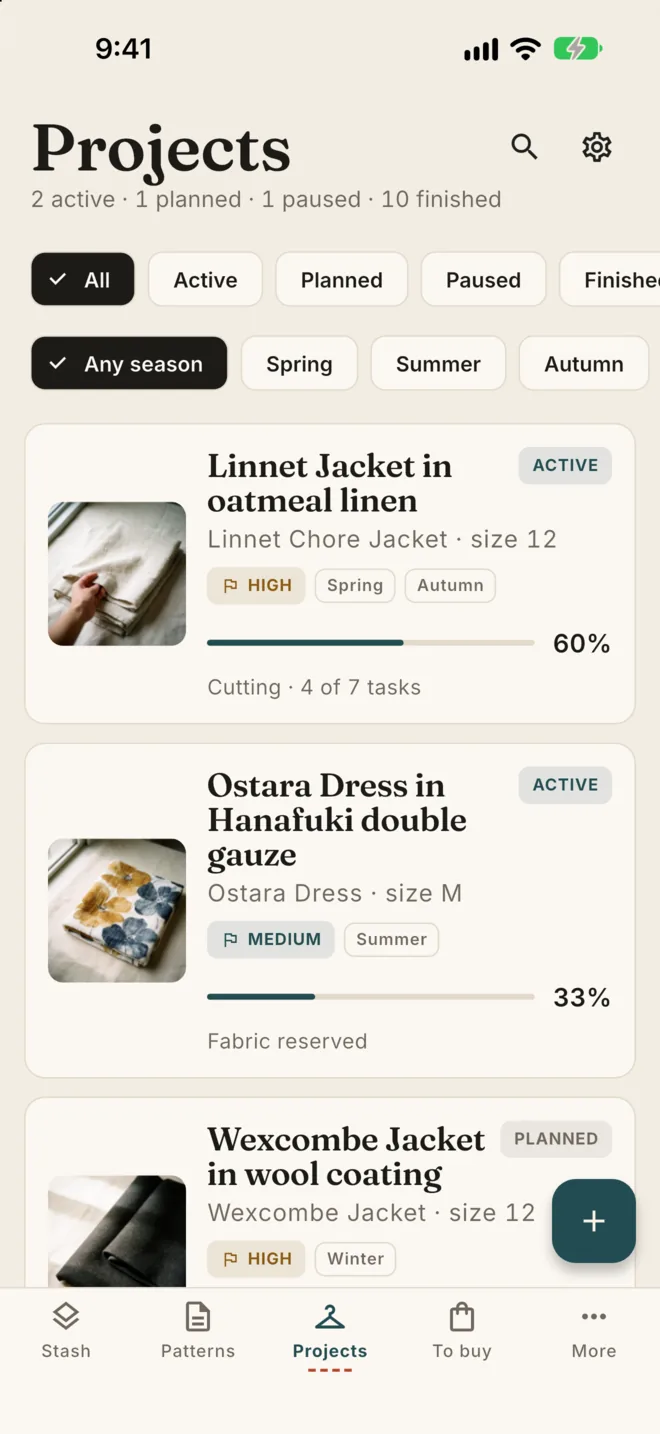
Projects: 2 active, 1 planned, 1 paused and 10 finished, each with its progress
Reserve, then cutSet cloth aside for a make, log each cut, and track active, planned, paused and finished projects.
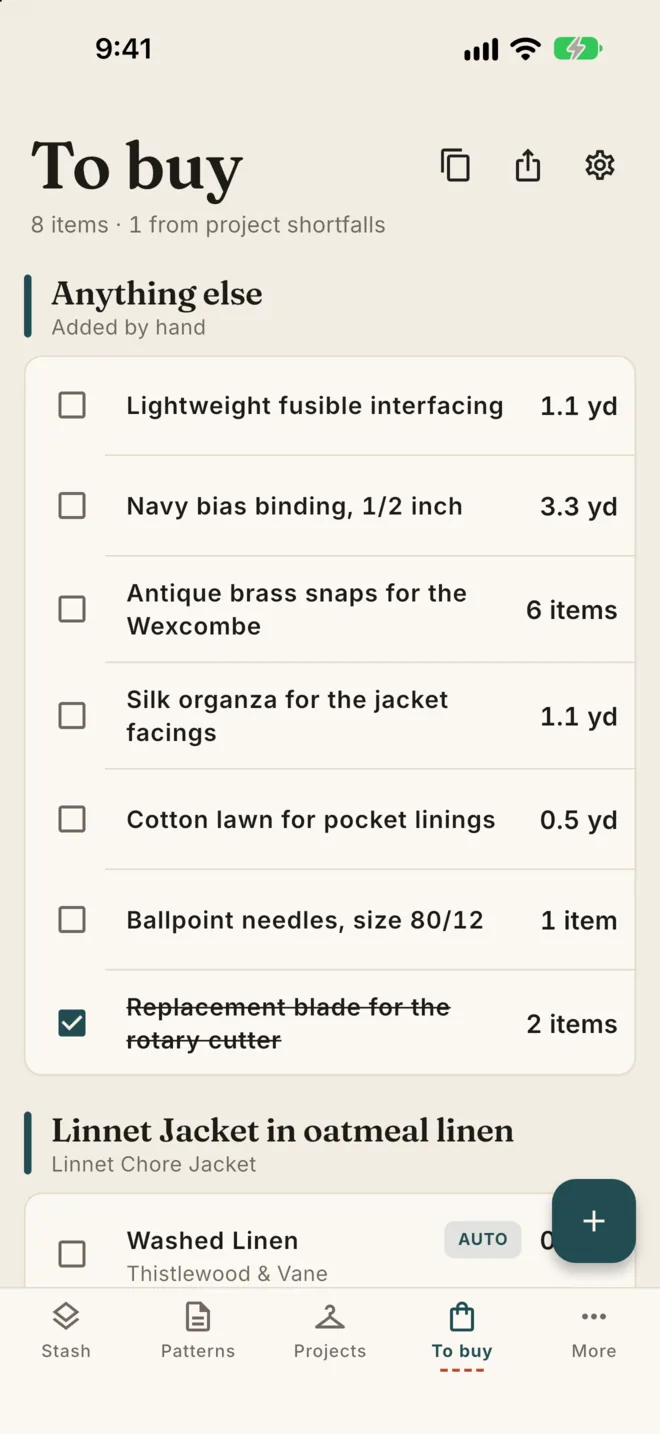
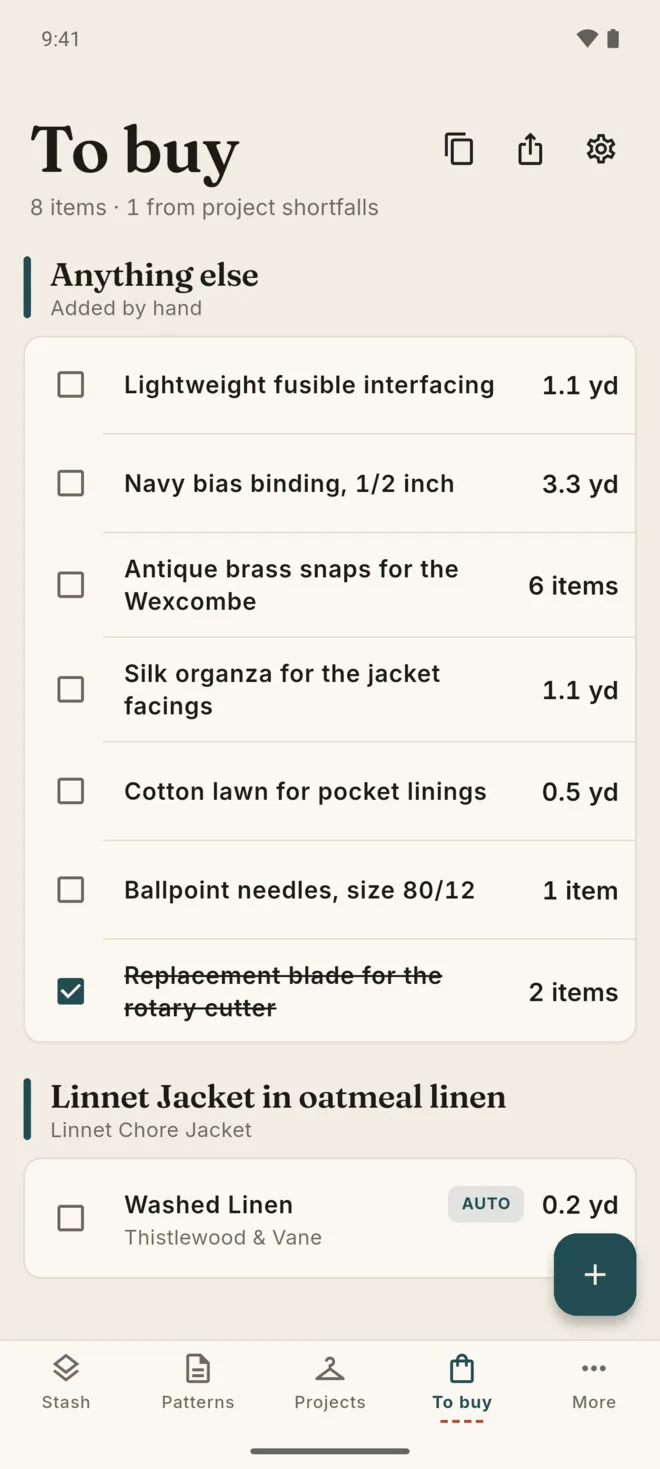
To buy: 8 items, 1 from project shortfalls, such as fusible interfacing and bias binding
A list for the shopAdd what a project still needs and share the list. With Pro, shortfalls land on it by themselves. Pro

The rest of the sewing room.

Notions, measurements and ideas sit beside the fabric, so a make has everything in one place.

Your Stash Book Pro

A printable PDF of every fabric, with its photo, length, width, content and shelf, ready to print or carry to the shop.

A Stash Book page: a grid of fabric photos, each with its name, length, width, content and shelf

Notions

Zips, buttons, thread and interfacing in a photo grid, with what is running low.

Measurements

Keep a measurement profile and link it to the projects it is for.

Ideas

A private ideas board: save a photo, a link and a note for a future project.

Never buy it twice Pro

A warning when you add a fabric that closely matches one you own. Free includes three.

Stats

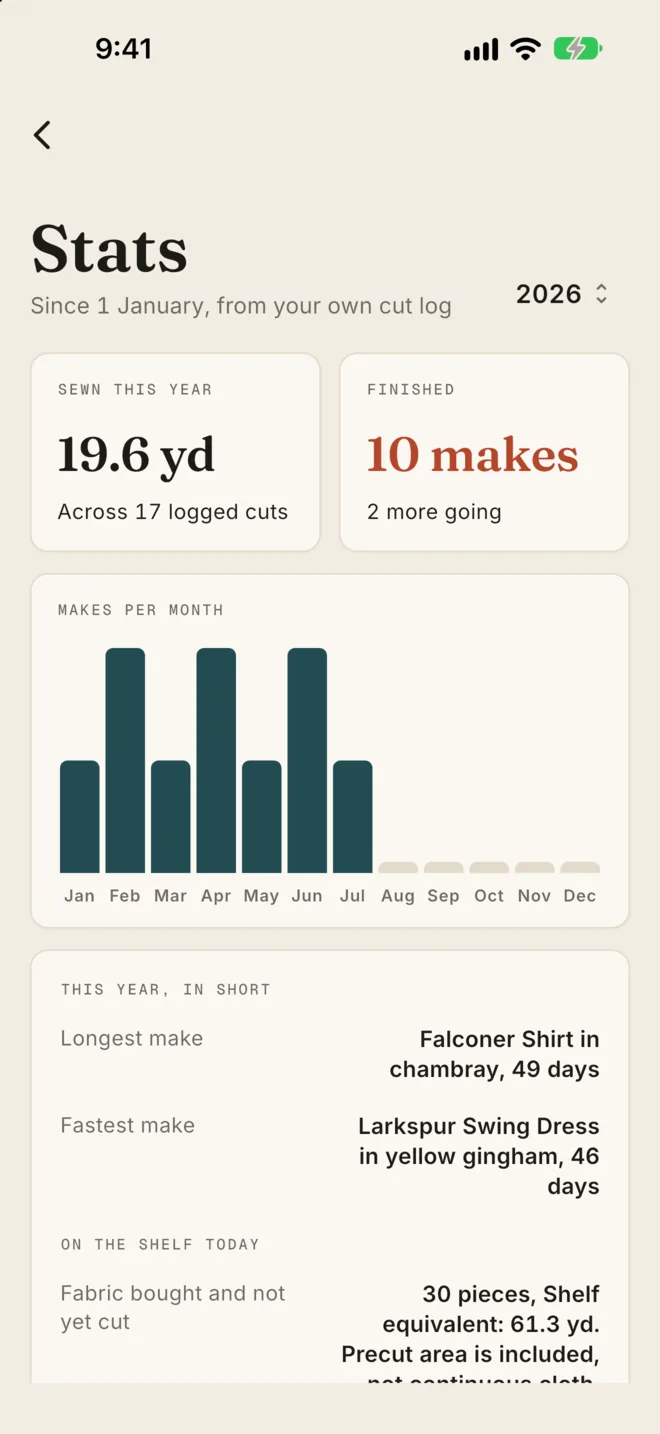
Yardage used this year, makes finished, and makes per month, from your own cut log.

Room to work on a big screen.

On iPad, Mac, Windows and Android tablets, Selvage opens into a side rail with the list beside each record.

Bulk add and edit Pro

Type down a column, or paste a block from a spreadsheet.

Import a CSV

Bring fabrics, notions, patterns or projects in from a spreadsheet, with photos matched by filename.

Drag and drop

On Mac and Windows, drop pattern files straight into Selvage.

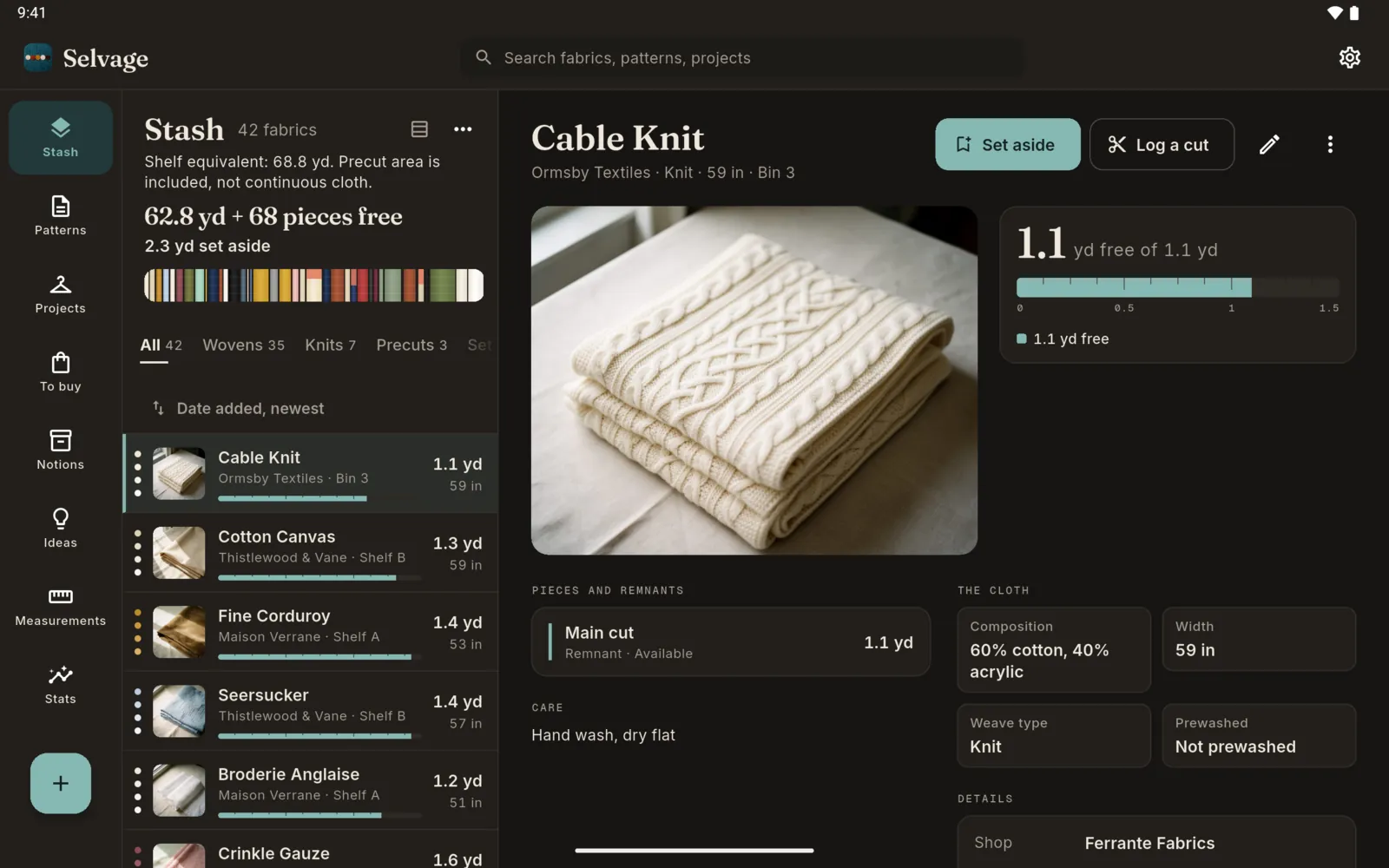
iPad: the stash list beside the Hanafuki Double Gauze fabric iPad: the stash in the dark theme

On every screen you sew with.

iPhone, iPad, Mac, Android and Windows, in light and dark.

iPhone

  • The stash with its total yardage
    Stash
  • A fabric with its free and set-aside yardage
    Fabric
  • Pattern covers
    Patterns
  • Projects with progress
    Projects
  • Fabrics in the stash that are long enough for a pattern
    Fits from your stash
  • The To buy list
    To buy
  • Stats: yardage used this year and makes per month
    Stats
  • The stash in the dark theme
    Dark theme

Swipe for all eight

iPad

  • iPad: the stash list beside a fabric
    Stash
  • iPad: pattern covers beside a pattern's files
    Patterns
  • iPad: projects beside a project's fabric and cut log
    Projects
  • iPad: the stash in the dark theme
    Dark theme

Android

  • Android: the stash with its total yardage
    Stash
  • Android: a fabric with its yardage
    Fabric
  • Android: pattern covers
    Patterns
  • Android: projects with progress
    Projects
  • Android: fabrics long enough for a pattern
    Fits from your stash
  • Android: the To buy list
    To buy
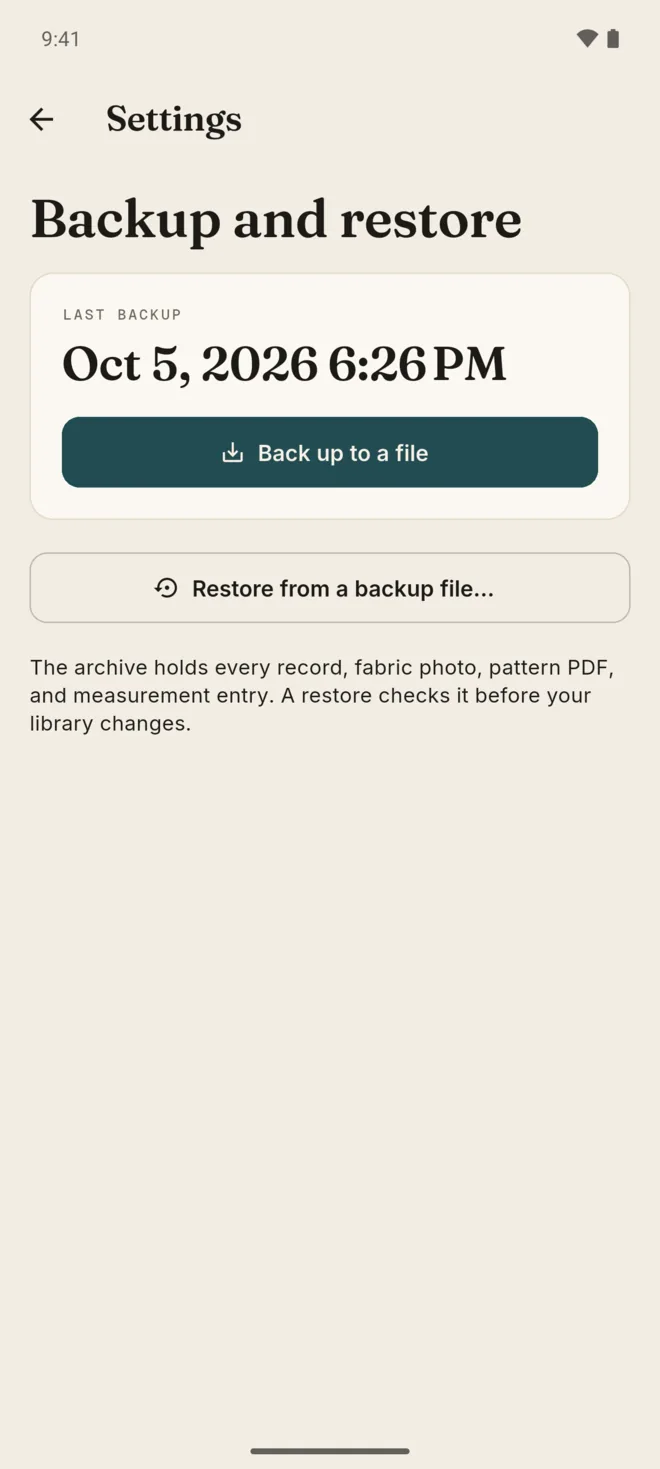
  • Android: backup and restore
    Backup
  • Android: the stash in the dark theme
    Dark theme

Swipe for all eight

Android tablet

  • Android tablet: the stash list beside a fabric
    Stash
  • Android tablet: pattern covers
    Patterns
  • Android tablet: projects beside a project
    Projects
  • Android tablet: the stash in the dark theme
    Dark theme

Fabrics, patterns, names and records shown are sample data.

The whole workflow, free.

The free app has every core tool, with limits on how many records you keep. Backup, restore, CSV import and export stay free.

Free

Every core toolKeep up to this many records
  • 15fabrics
  • 12patterns
  • 3active projects
  • 20notions
  • 1measurement profile
  • Real yardage, cut logs and set-aside cloth
  • Pattern file import and yardage by view
  • The To buy list, shared as text
  • Link Prefill, ideas, stats and widgets
  • Backup, restore, CSV import and export

Selvage Pro

One paymentA one-time purchase, never a subscription
  • No limits on fabrics, patterns, projects, notions or profiles
  • Bulk add and edit
  • Every CSV row imported, not just the free limit
  • Shortfalls added to the To buy list by themselves
  • Duplicate warnings when you add a near match
  • The printable Stash Book

Pricing is shown in your app store and varies by country. On Apple devices and Android, purchases are processed by Apple or Google Play through RevenueCat; on Windows, by the Microsoft Store. One Apple purchase covers your iPhone, iPad and Mac. Google Play and Microsoft Store purchases are separate.
  • iPhone
  • iPad
  • Mac
  • Android phone
  • Android tablet
  • Windows

Needs iOS or iPadOS 18 or later, macOS 15 or later on an Apple silicon Mac, Android 10 or later, or Windows 10 build 17763 or later.

Private by design.

No account is needed. Your sewing library is kept on your device, and you choose when to back up, export or share.

No account

Nothing to sign up for. Open the app and add your first fabric.

Kept on your device

Fabrics, patterns, pattern files, photos and measurements are stored on the device you use. There is no cloud sync.

Backups go where you choose

Save a full library backup to a folder you pick, or to your own iCloud Drive on Apple devices. Selvage never backs up on its own.

Text read on your device

Reading the text in a fabric photo happens on your device. Link Prefill opens only the shop link you paste.

Diagnostics

Crash and performance diagnostics are on by default, so problems can be fixed. Turn them off in Settings, under Diagnostics.

Works offline

Your library needs no signal. Purchases, diagnostics and Link Prefill use the internet.

Questions

What is Selvage?

Selvage is a private sewing library. It keeps your fabric with its real yardage, your pattern files, notions, measurements, ideas and projects, and shows which fabrics are long enough for a make before you cut. It runs on iPhone, iPad, Mac, Android and Windows.

Do I need an account?

No. There is no sign-up and no login. Your library is kept on your device. In-app purchases, diagnostics and Link Prefill use the internet. Crash and performance diagnostics are on by default, and you can turn them off in Settings, under Diagnostics.

Is Selvage free? How does Pro work?

The free app has every core tool for up to 15 fabrics, 12 patterns, 3 active projects, 20 notions and 1 measurement profile. Selvage Pro is a one-time purchase, never a subscription. It removes those limits and adds bulk add and edit, automatic shortfalls on the To buy list, duplicate warnings and the printable Stash Book. Backup, restore, CSV import and export stay free. Pricing is shown in your app store.

Can I bring my spreadsheet?

Yes. Import a CSV of fabrics, notions, patterns or projects, check how the columns match, and preview before anything is added. Photos in a folder can be matched by filename. On the free app the import fills up to the free limits; Pro imports every row.

Does one purchase cover all my devices?

One Apple purchase covers your iPhone, iPad and Mac. Google Play and Microsoft Store purchases are separate, so a purchase on one store does not unlock Pro on another.

What happens to my library if I change devices?

Save a full library backup, with photos and pattern files, and restore it on the new device. On Apple devices you can keep backup copies in your own iCloud Drive. There is no cloud sync, so two devices do not stay in step on their own.

Which devices does Selvage run on?

iPhone, iPad, Mac, Android phones and tablets, and Windows. It needs iOS or iPadOS 18 or later, macOS 15 or later on an Apple silicon Mac, Android 10 or later, or Windows 10 build 17763 or later. Selvage is coming soon to the App Store, the Mac App Store, Google Play and the Microsoft Store.