Verdling app icon

Plant care reminders

Plants are easy. The remembering is hard.

Verdling shows which plants need water today, reminds you once a day, and keeps a photo journal of how each one grows. No account needed.

Get Verdling

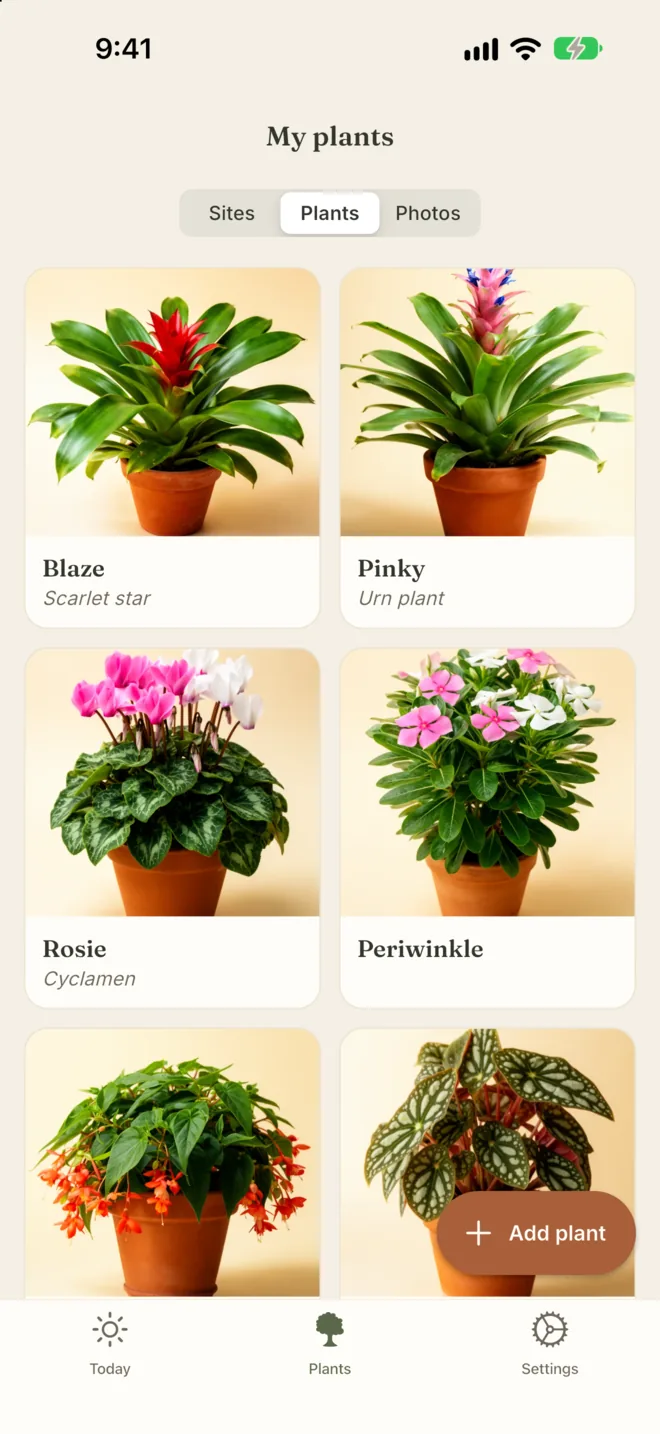
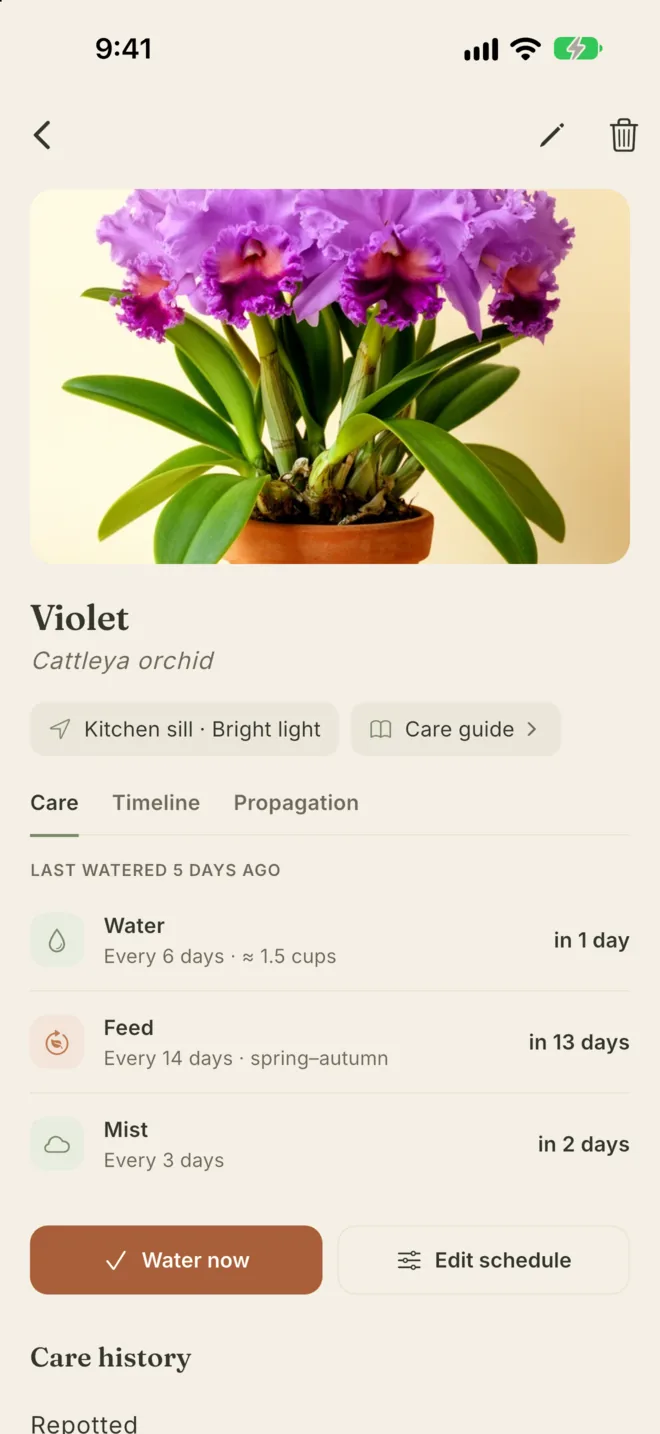
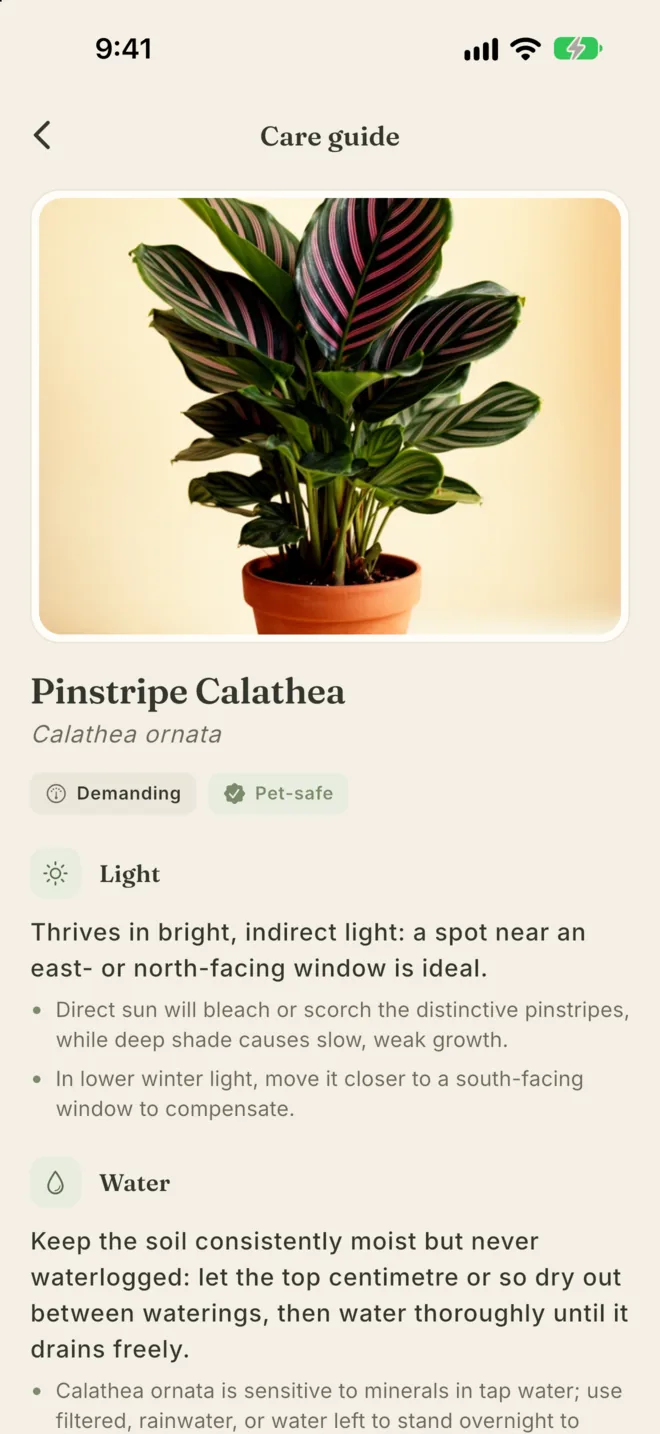
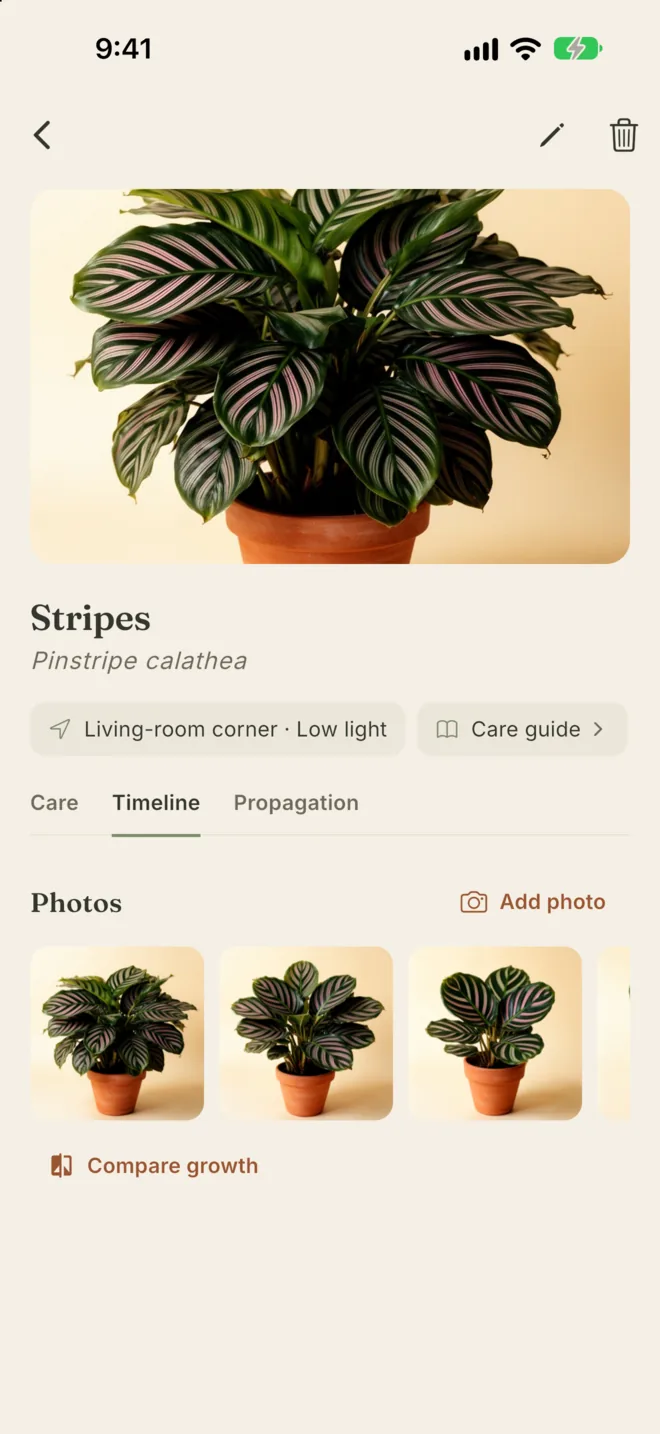
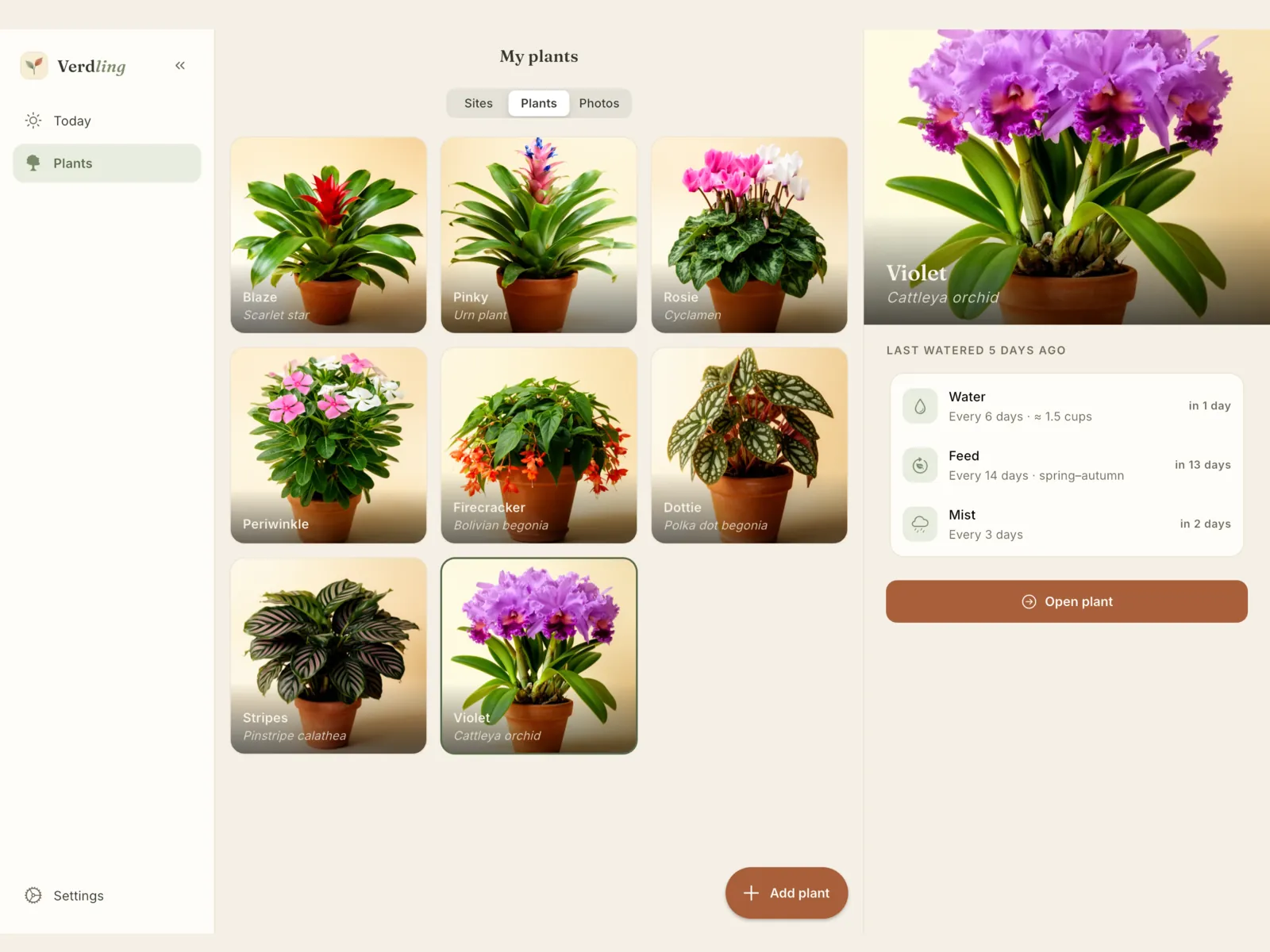
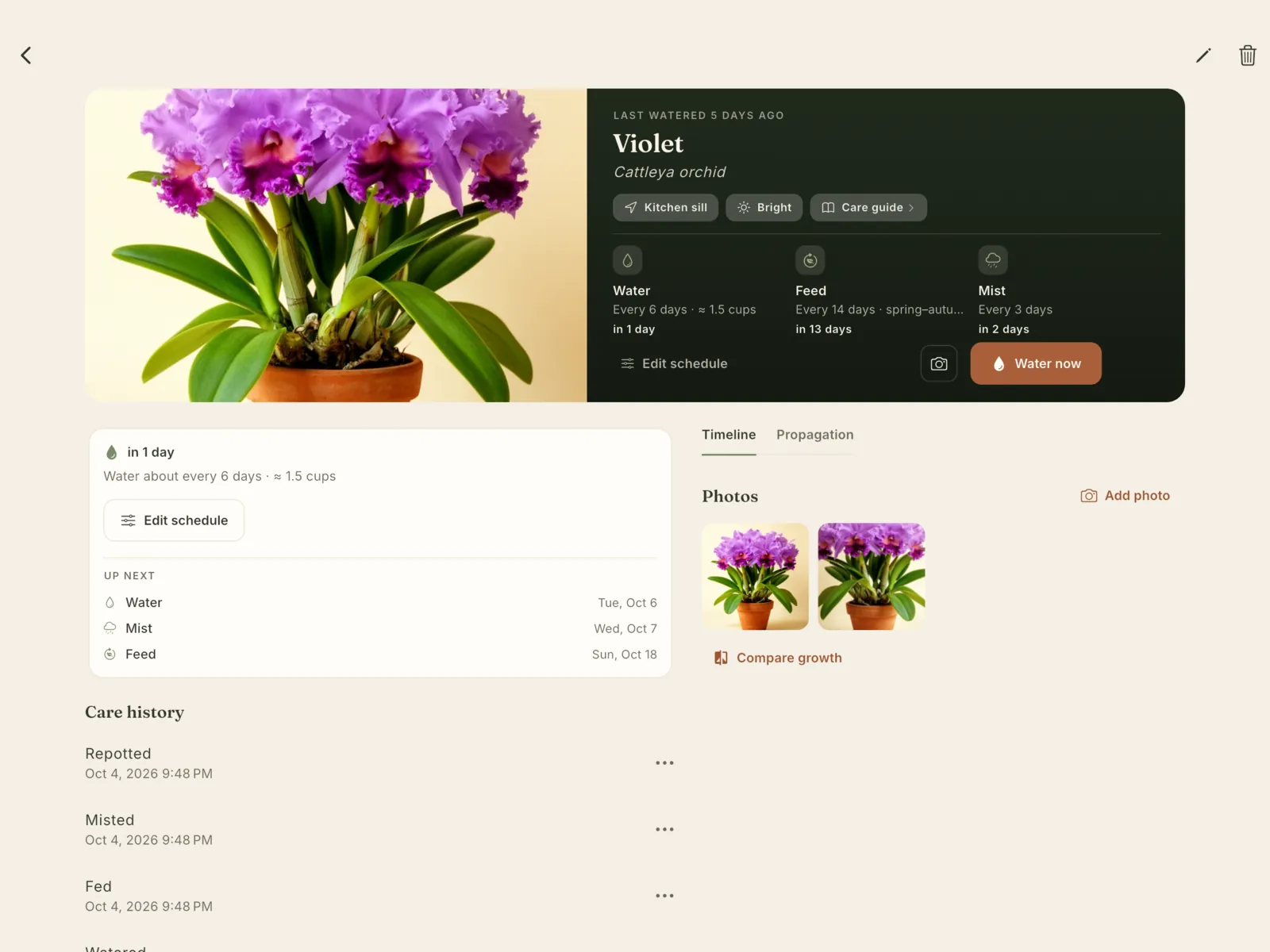
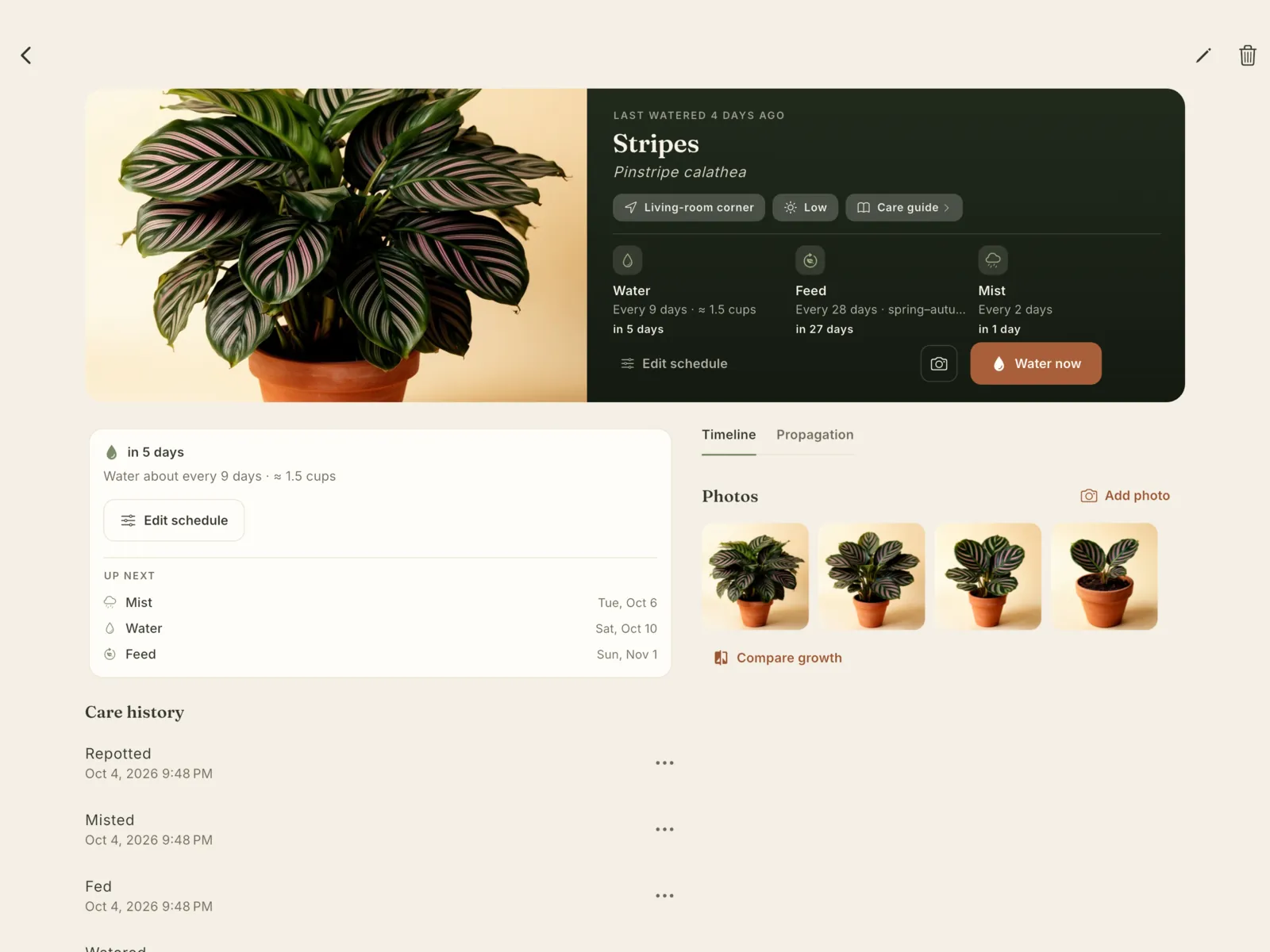
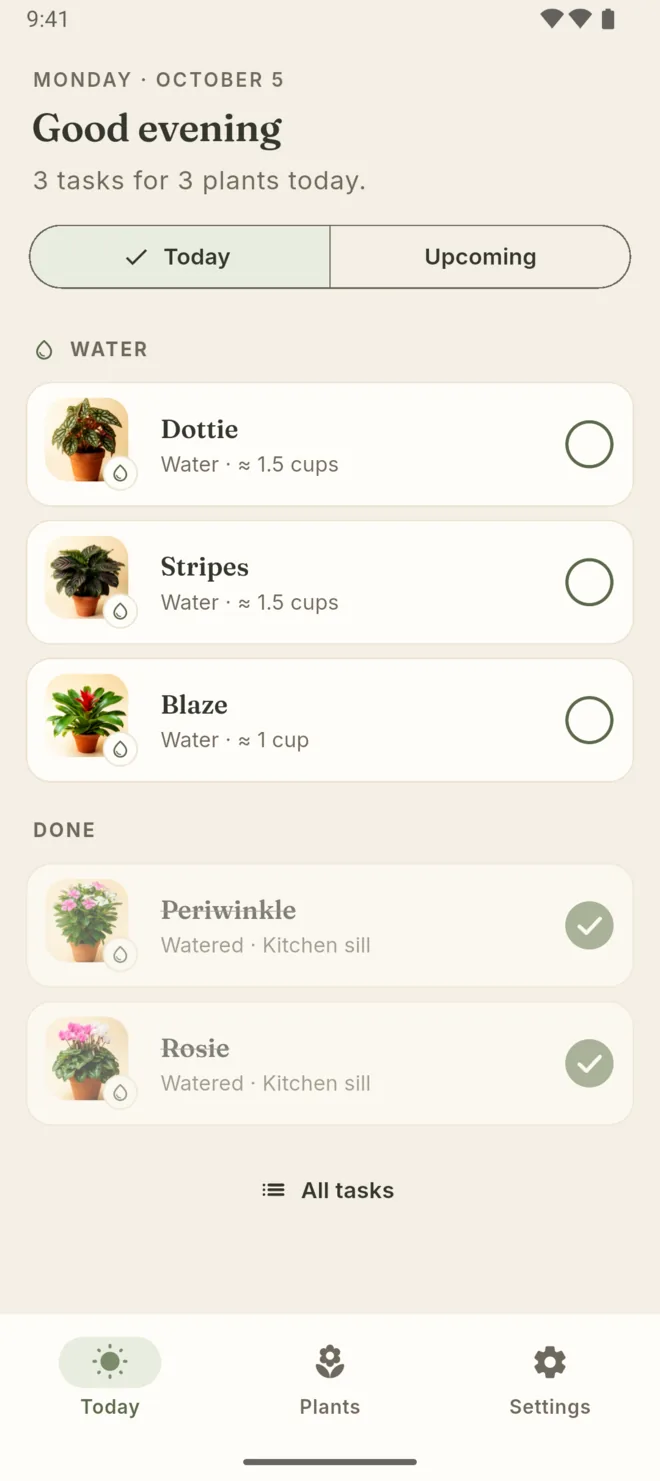
The Today screen: three plants to water, each with how much, and two already done My plants: a grid of plant photos with each plant's name and species Violet the Cattleya orchid: last watered 5 days ago, with water, feed and mist schedules The care guide for Pinstripe Calathea, marked pet-safe, with light and water advice The timeline for Stripes, with a row of growth photos

One calm list for today.

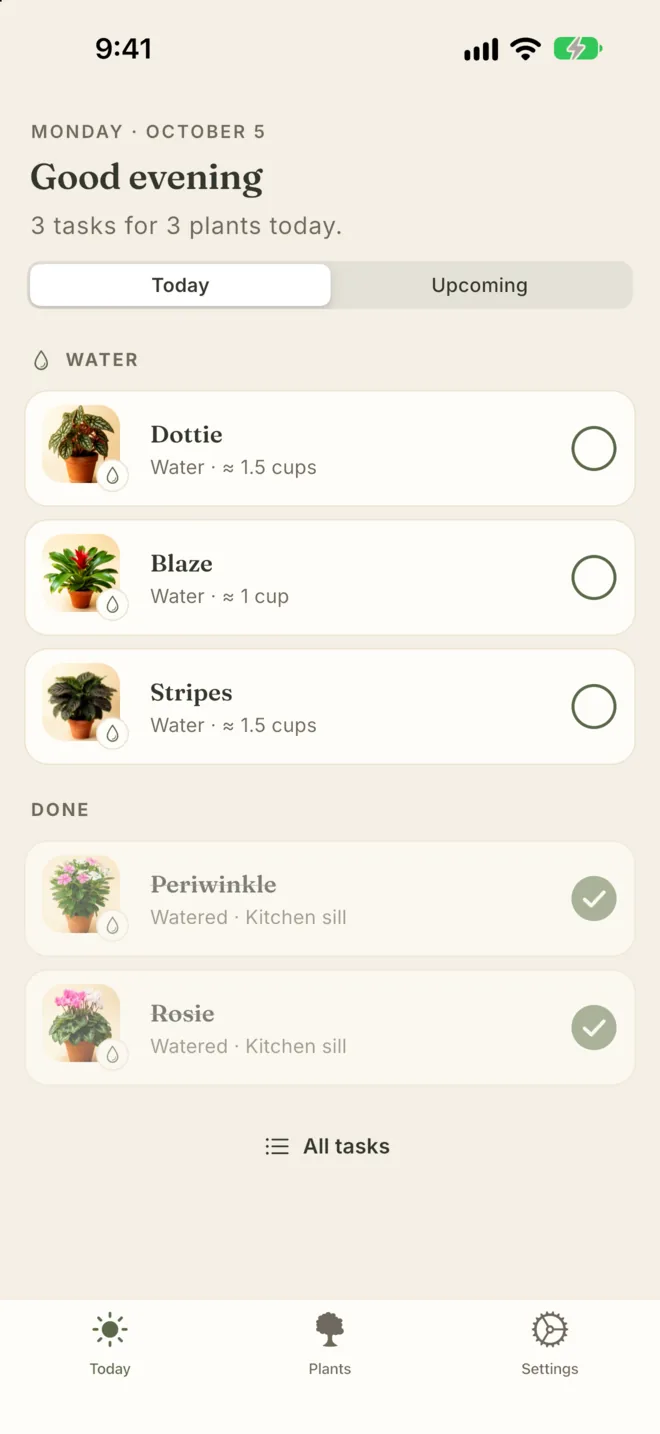
Today shows what every plant needs, grouped by task: water, feed, mist and repot. Tick a plant and it moves to Done.

  • See how much water each plant takes
  • Snooze a task until tomorrow, for 3 days or for a week
  • Water every plant in one spot with Water all here
  • One daily reminder for all your plants, never a ping per plant, and nothing during quiet hours
Today: Dottie, Blaze and Stripes to water, with Periwinkle and Rosie under Done

A schedule that fits your plant.

Verdling suggests a rhythm from the species, the pot and the light. Edit any part of it, because you know your plant best.

  • Water, feed, mist and repot, each on its own schedule
  • Feeding follows the seasons, set for your hemisphere
  • Group plants by where they live, from a sunny sill to a shaded shelf
  • A care history for every plant, so you know when it was last watered
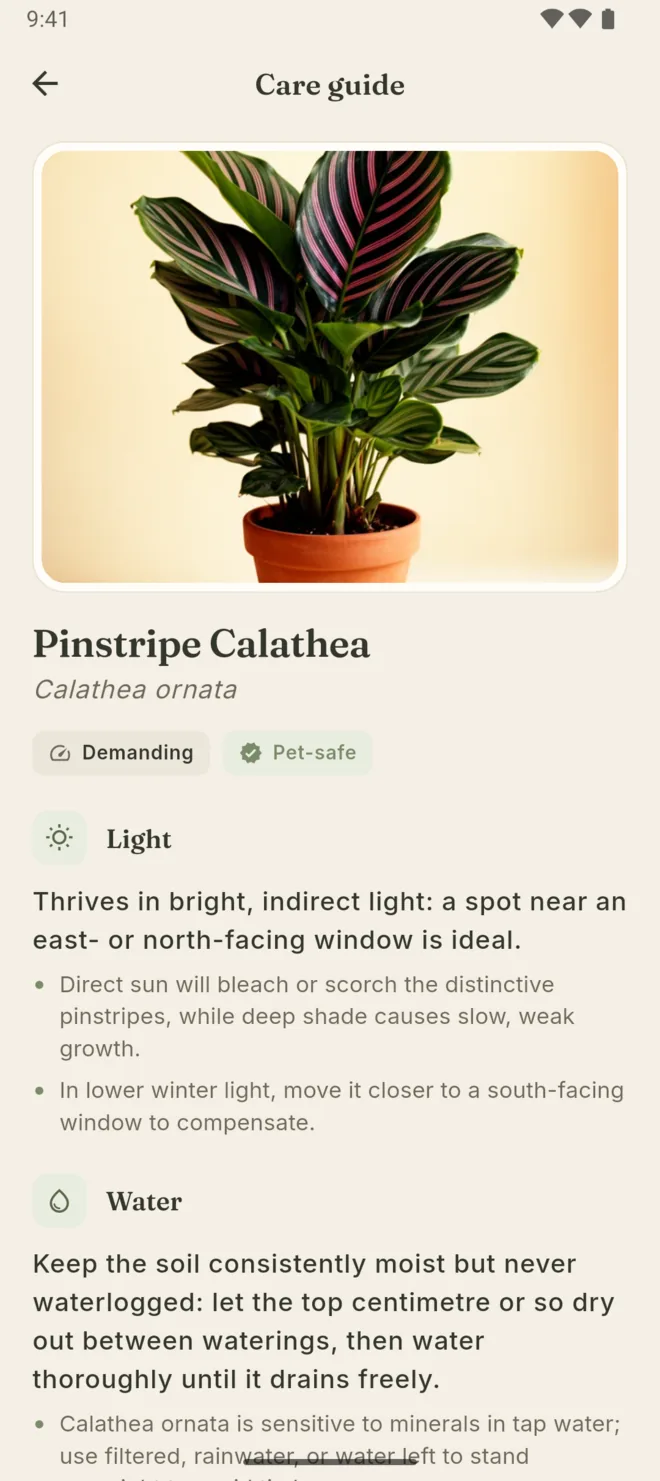
The care guide for Pinstripe Calathea: demanding, pet-safe, with light and water advice
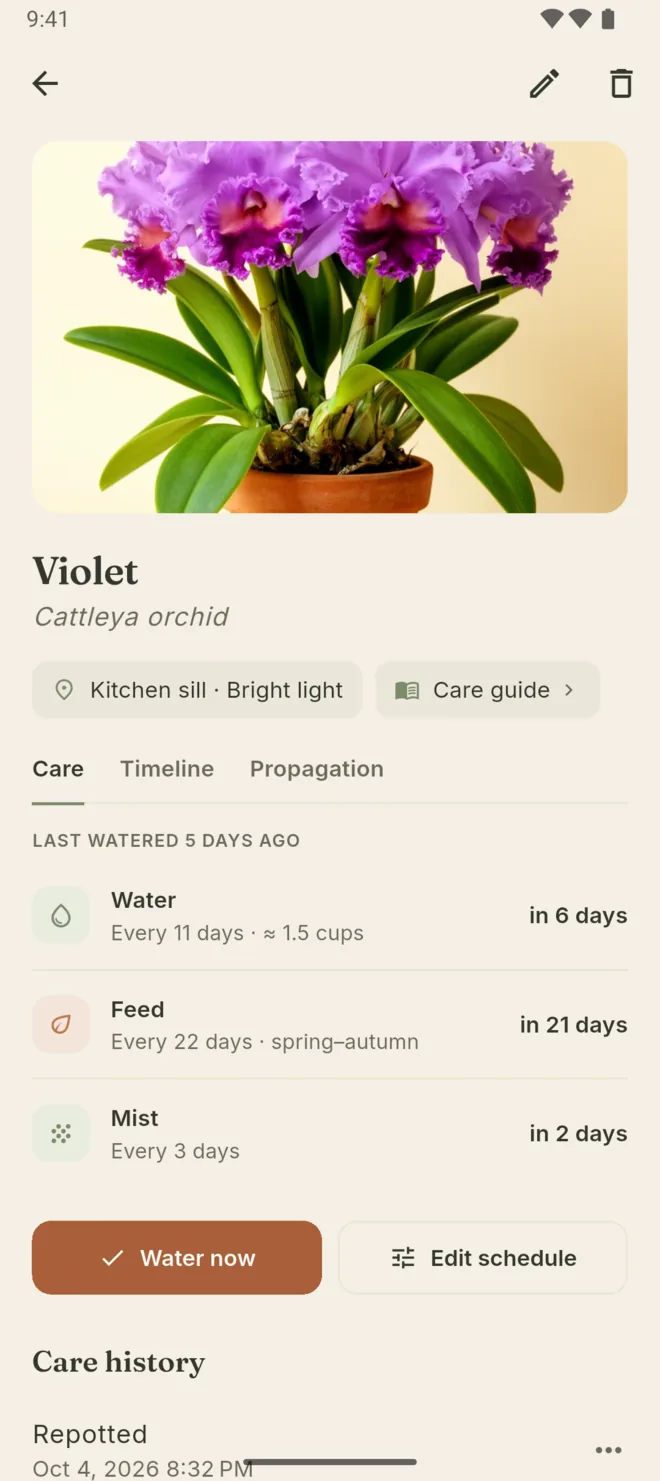
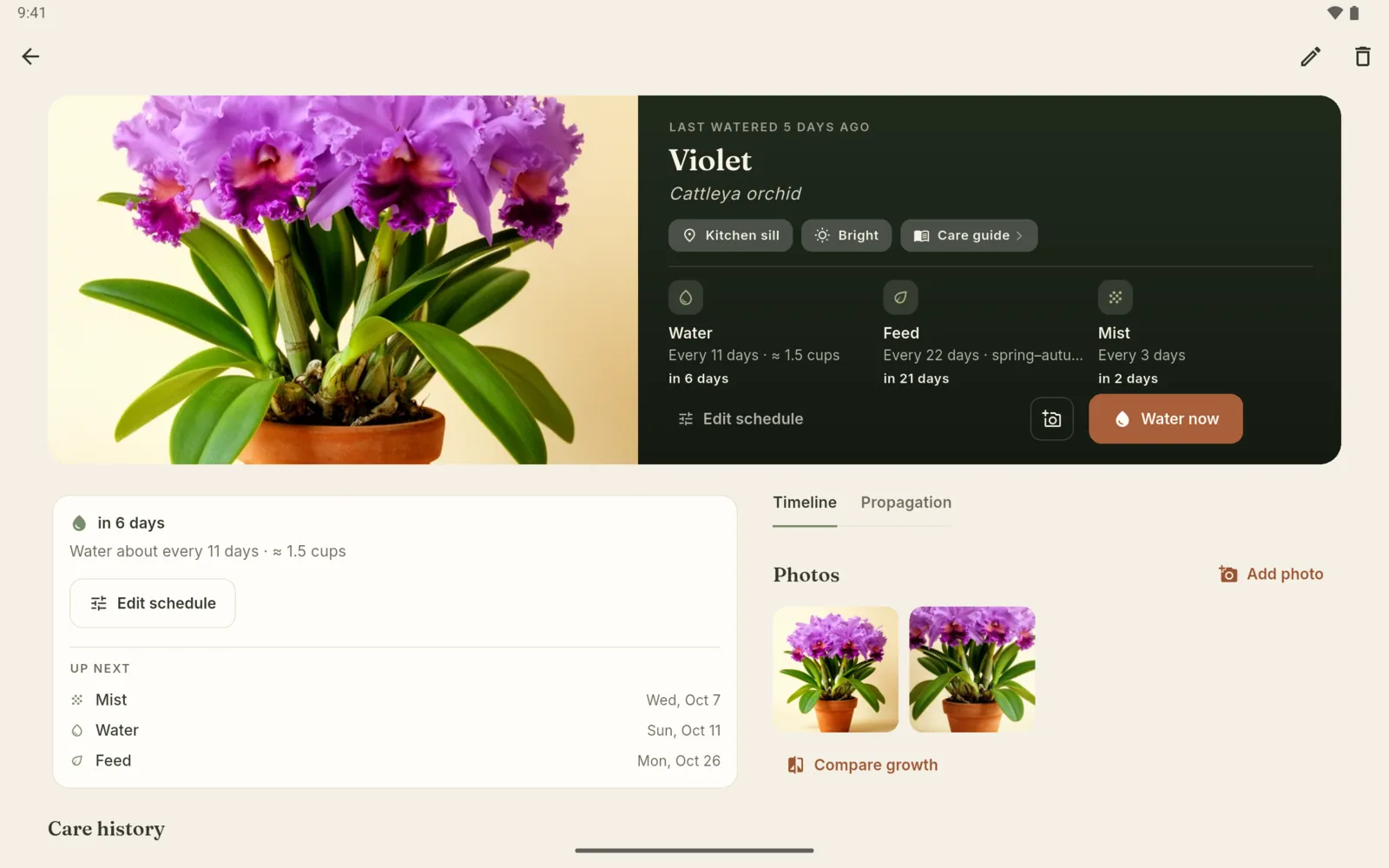
Violet's page: water every 6 days, feed every 14 days from spring to autumn, mist every 3 days, with Water now and Edit schedule buttons

Light meter

Find the right spot.

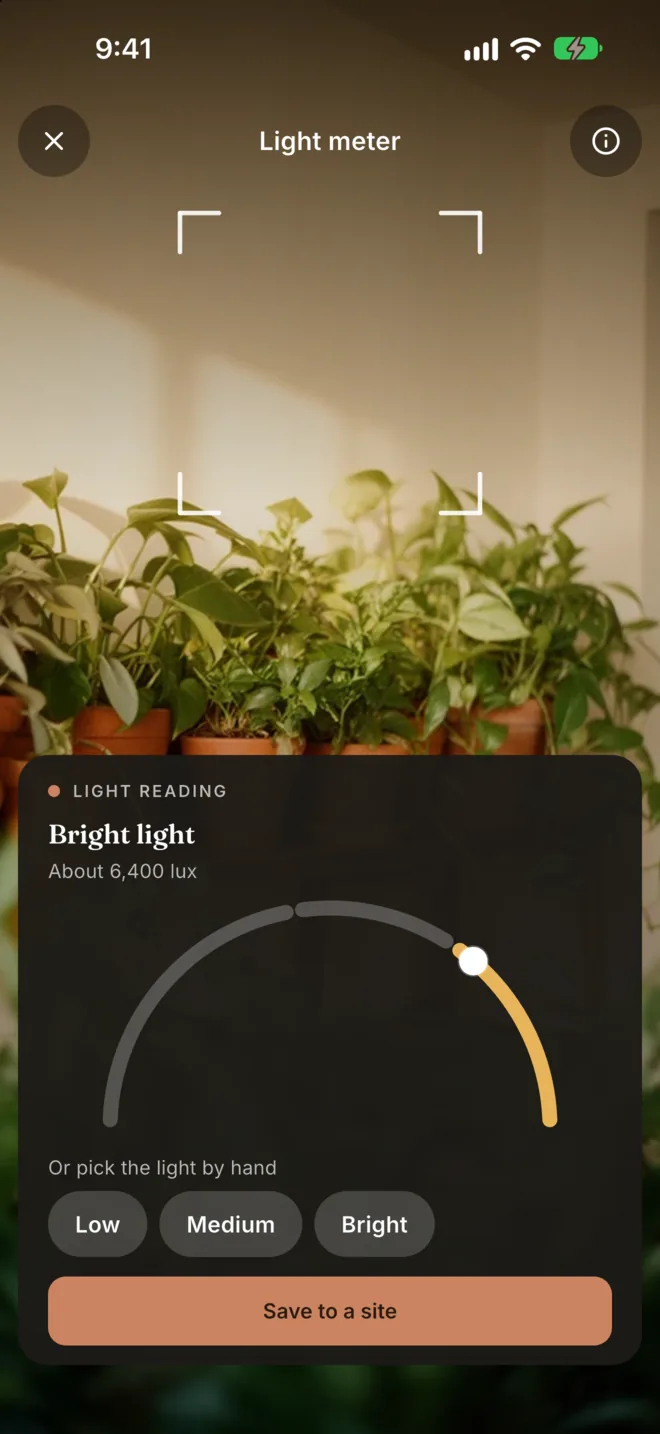
Hold your phone where the plant will live. Verdling reads the light and saves it to that spot, so you can match plants to places.

Low, Medium or Bright

Each reading becomes a simple light band, with an approximate lux figure.

Saved to a spot

Save the reading to a spot in your home, and Verdling tells you when it is a bit dark for a plant there.

The light meter on iPhone: a camera view of a windowsill and a reading of Bright light, about 6,400 lux, with a Save to a site button

iPhone and Android

iPhone reads the camera's exposure. Android reads the phone's light sensor. Readings are approximate and depend on the device.

3 free readings Pro

Save 3 readings free, then the meter is part of Pro. You can always set a spot's light by hand.

Watch them grow.

Each plant keeps its own photo timeline and its own propagation record.

A photo journal for every plant

Take a photo or pick one from your library, and frame it before you save. Put two photos side by side to see how far a plant has come. Pro

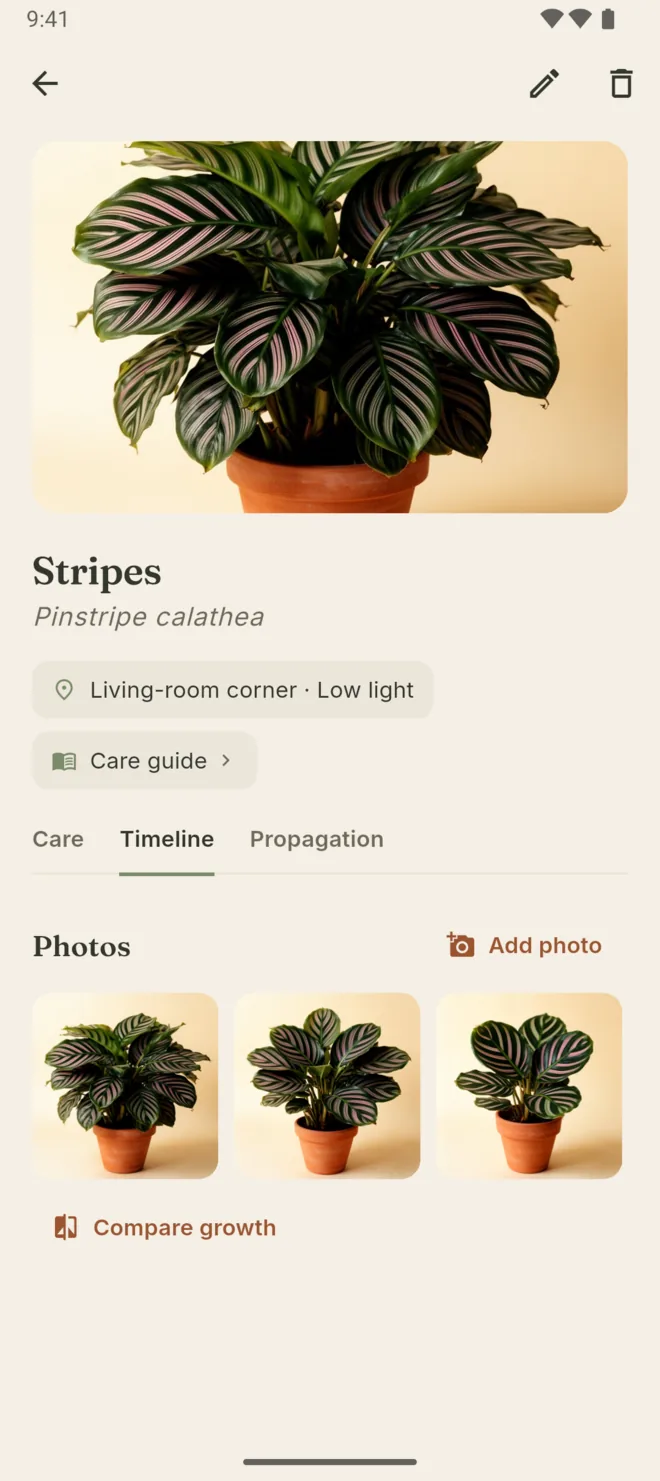
Stripes the Pinstripe calathea: the Timeline tab with three photos and a Compare growth button

From cutting to potted

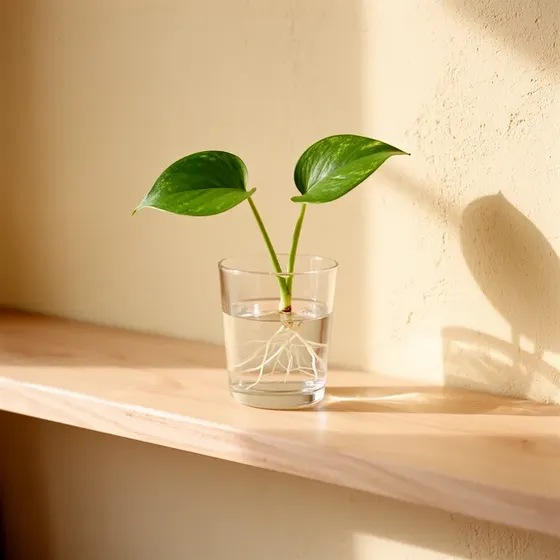
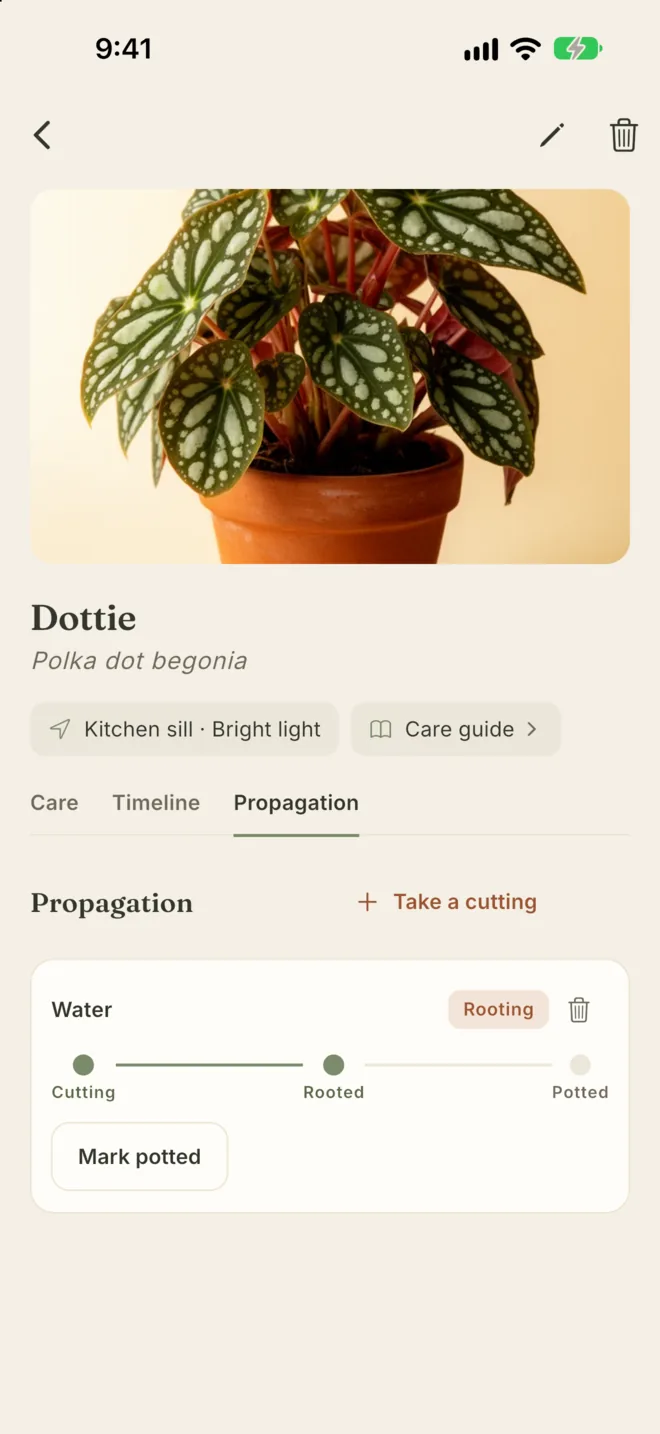
Take a cutting and follow it from cutting taken to rooting to potted up.

A pothos cutting rooting in a glass of water on a sunny shelf

Any plant you own

Pick from the built-in species, or type a name and add a plant that is not in the list.

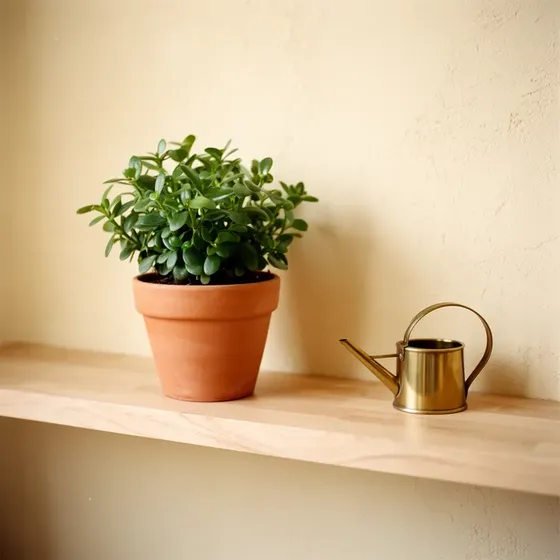
A potted plant and a brass watering can on a sunny shelf
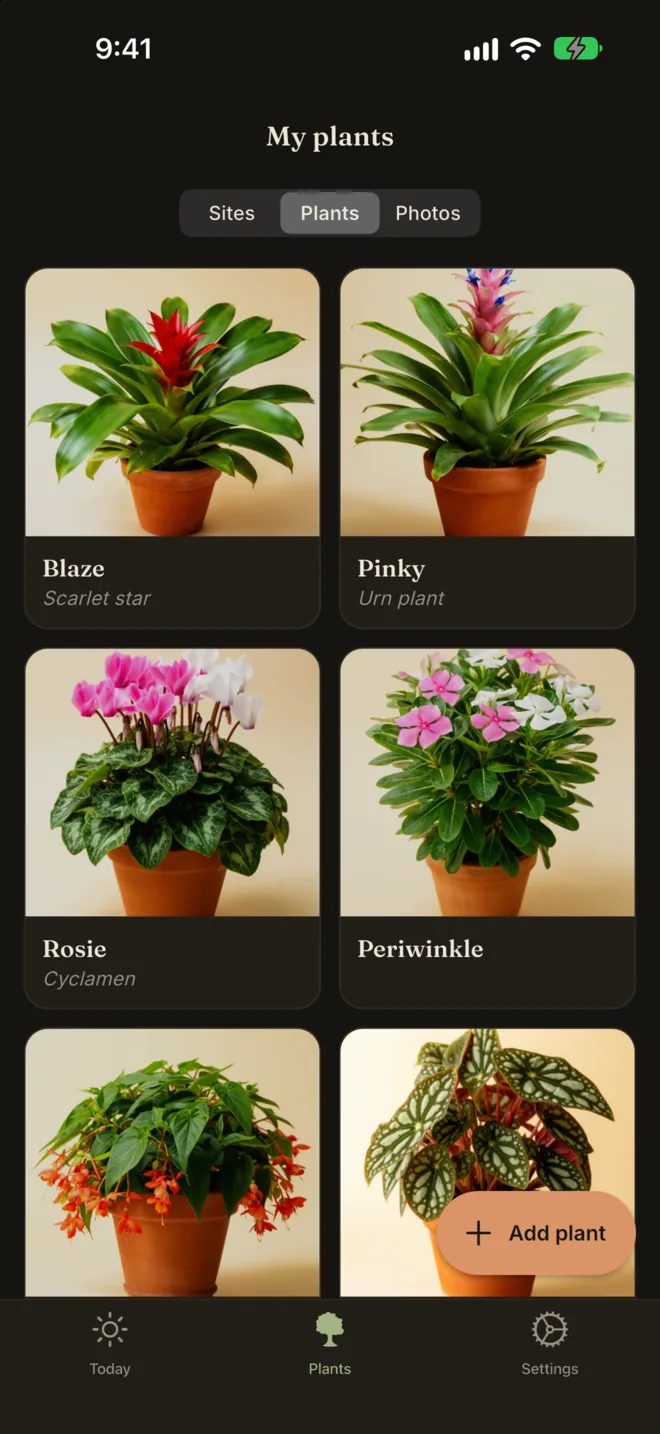
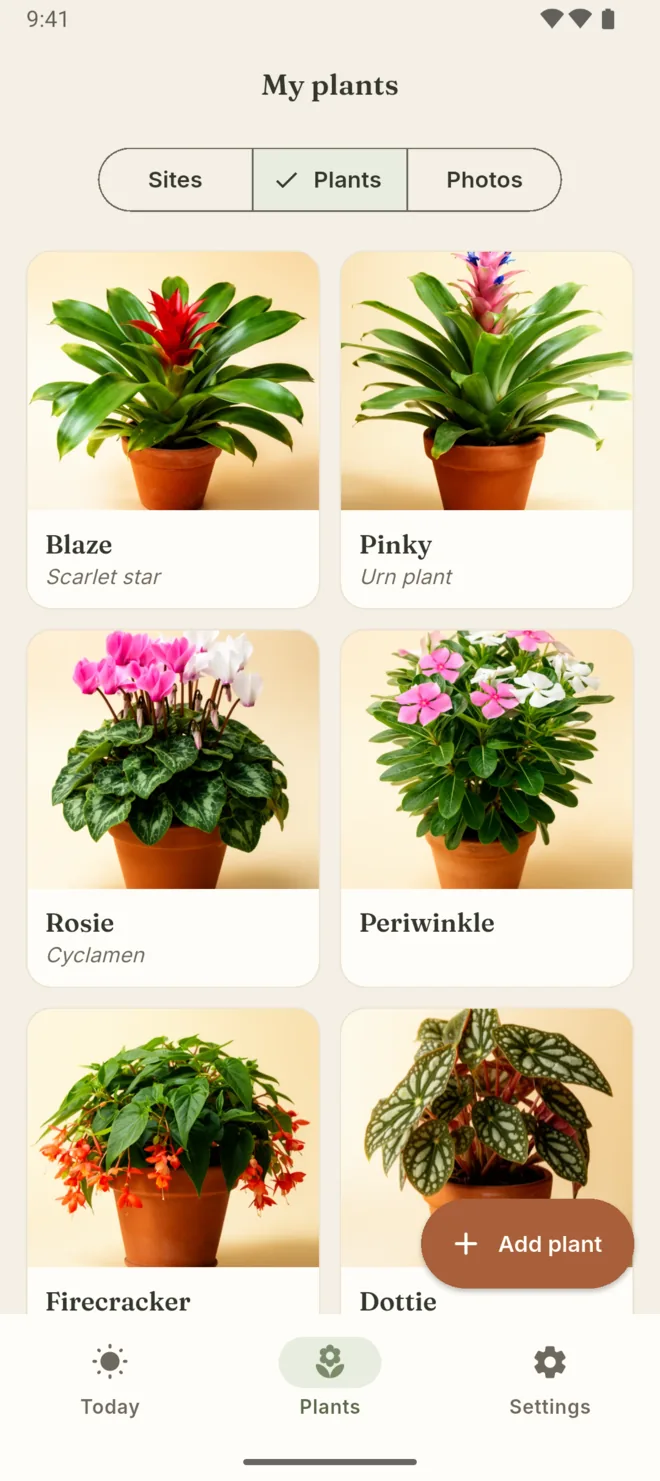
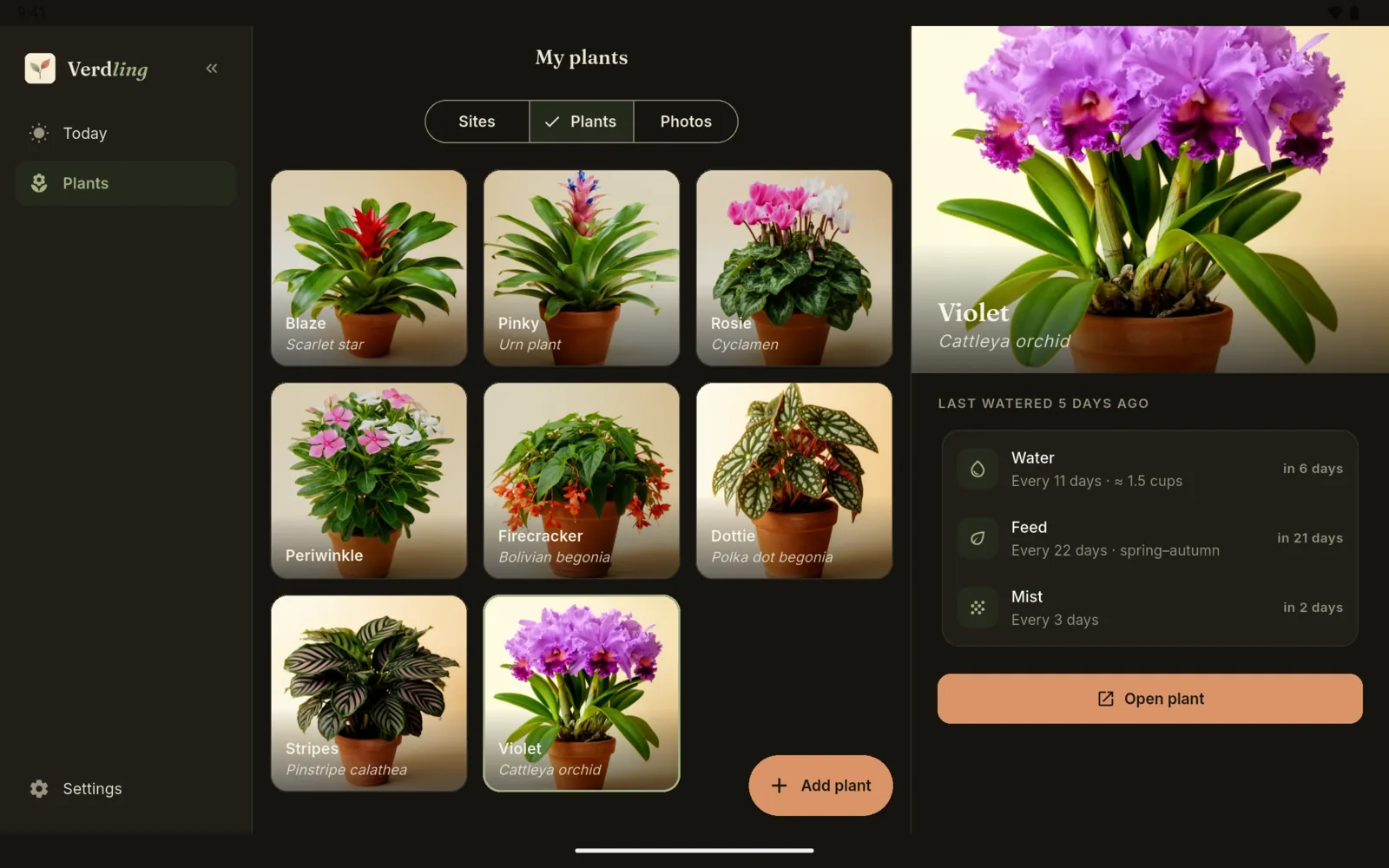
My plants: Blaze the scarlet star, Pinky the urn plant, Rosie the cyclamen, Periwinkle, Firecracker and Dottie

A care guide for 417 species.

Every species in the built-in reference has its own illustrated care page, with a starting point for its schedule.

  • Light
  • Water
  • Humidity
  • Feeding
  • Soil and repotting
  • Common problems
  • Common pests
  • Pet-safe
  • Toxic to pets
  • Toxic if eaten
  • Toxicity unknown

The reference is a guide, not a diagnosis. Species names and care text are in English. Verdling is a care tracker, not a plant identification service.

Care from your home screen.

Home-screen widget

See what your plants need today, and tap Watered to log it. On iPhone and Android.

Shortcuts and Spotlight

On iPhone, log a watering, see what needs care today, or open Today from Shortcuts, Spotlight or the Action button.

Plant-sitter care sheet Pro

A PDF that shows who waters what, and when, ready to hand to a plant sitter.

13 languages

Verdling is in 13 languages, with a light theme by day and a warm dark theme by night.

On iPhone, iPad and Android.

Phones get one-thumb lists. iPad and Android tablets open into a side rail, with the plant list beside each plant's page.

iPhone

  • Today: plants to water and plants already done
    Today
  • My plants in a photo grid
    My plants
  • A plant's page with its care schedules
    Plant page
  • A species care guide
    Care guide
  • The light meter with a Bright light reading
    Light meter
  • A plant's photo timeline
    Growth photos
  • A cutting at the rooting stage
    Propagation
  • My plants in the dark theme
    Dark theme

Swipe for all eight

iPad

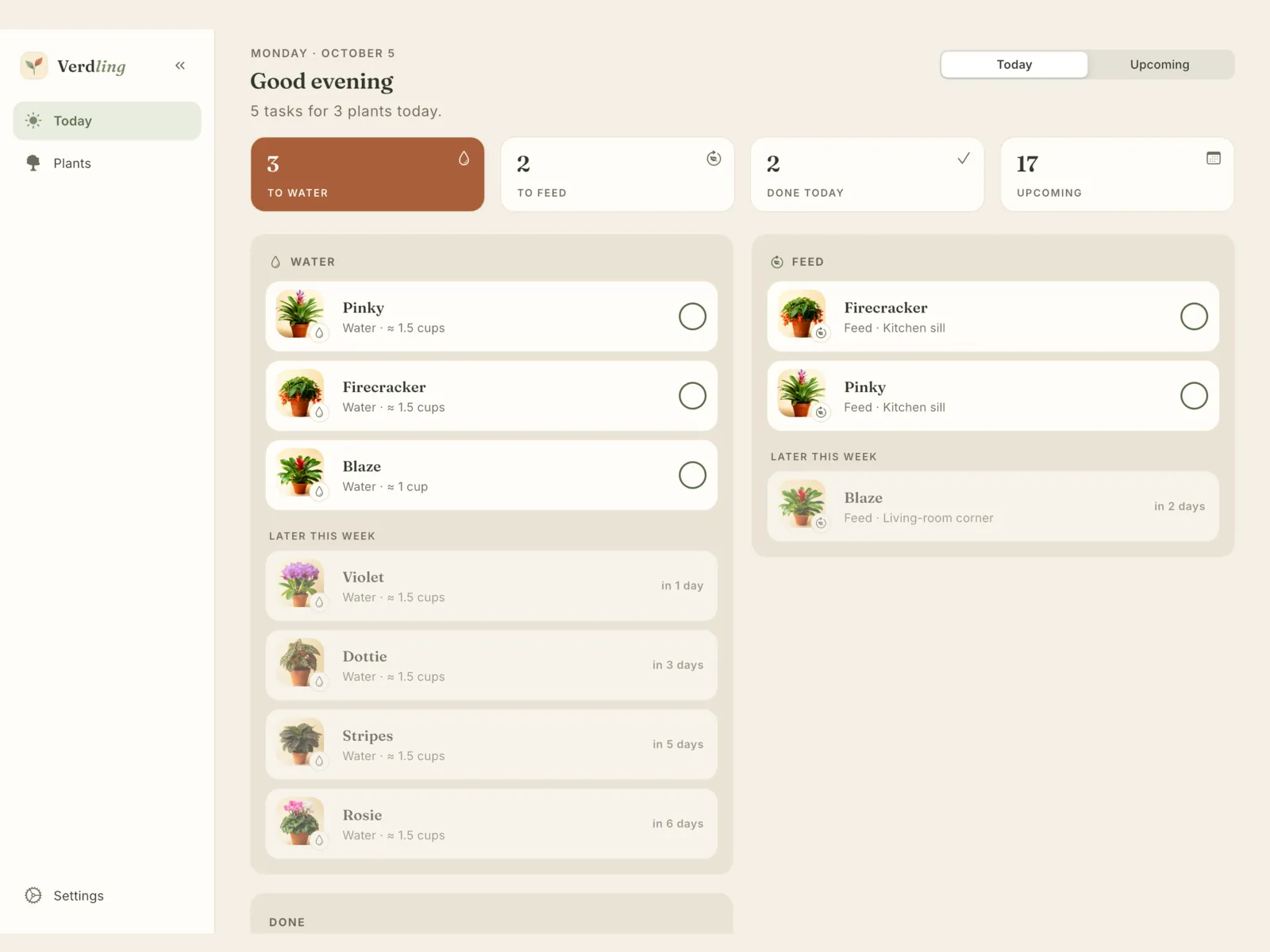
  • iPad: Today with water and feed columns and counts across the top
    Today
  • iPad: the plant grid beside Violet's care summary
    My plants
  • iPad: Violet's page with her photo beside a dark panel of schedules
    Plant page
  • iPad: Stripes with growth photos and care history
    Growth photos

Android

  • Android: Today with plants to water
    Today
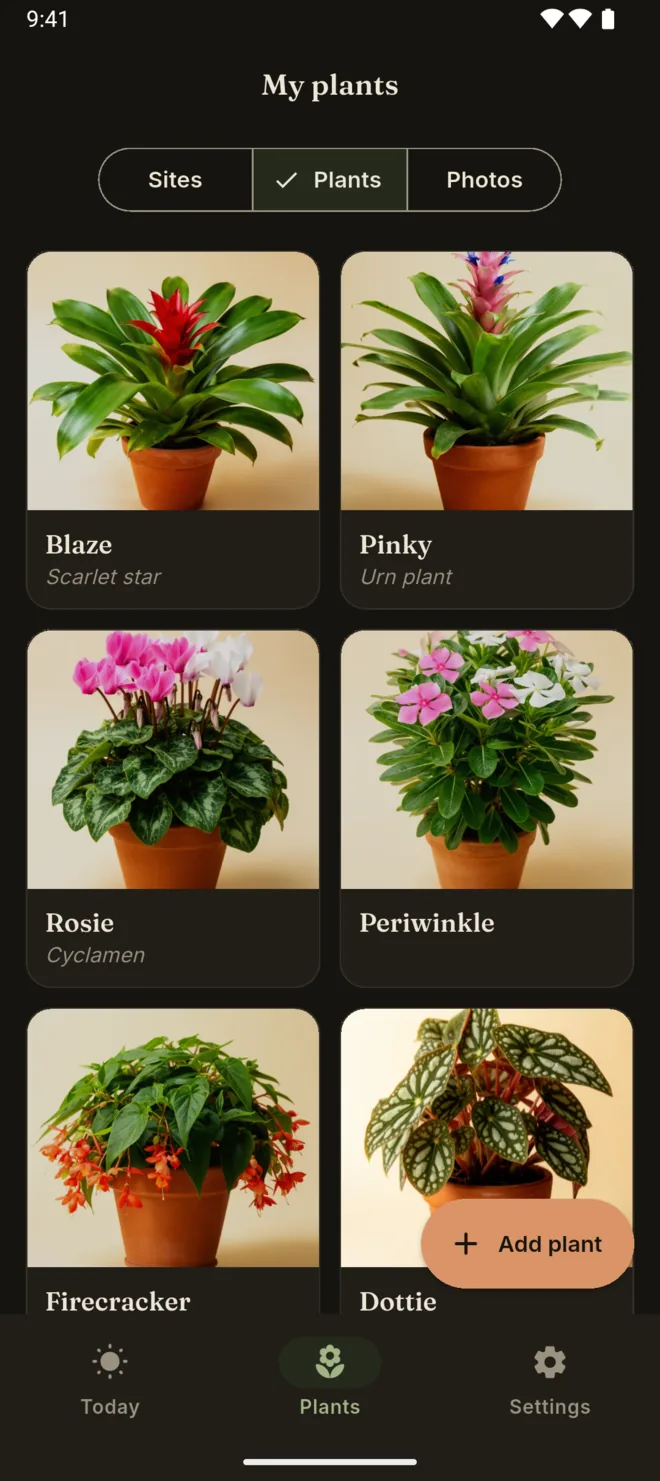
  • Android: My plants in a photo grid
    My plants
  • Android: a plant's page with its schedules
    Plant page
  • Android: a species care guide
    Care guide
  • Android: a plant's photo timeline
    Growth photos
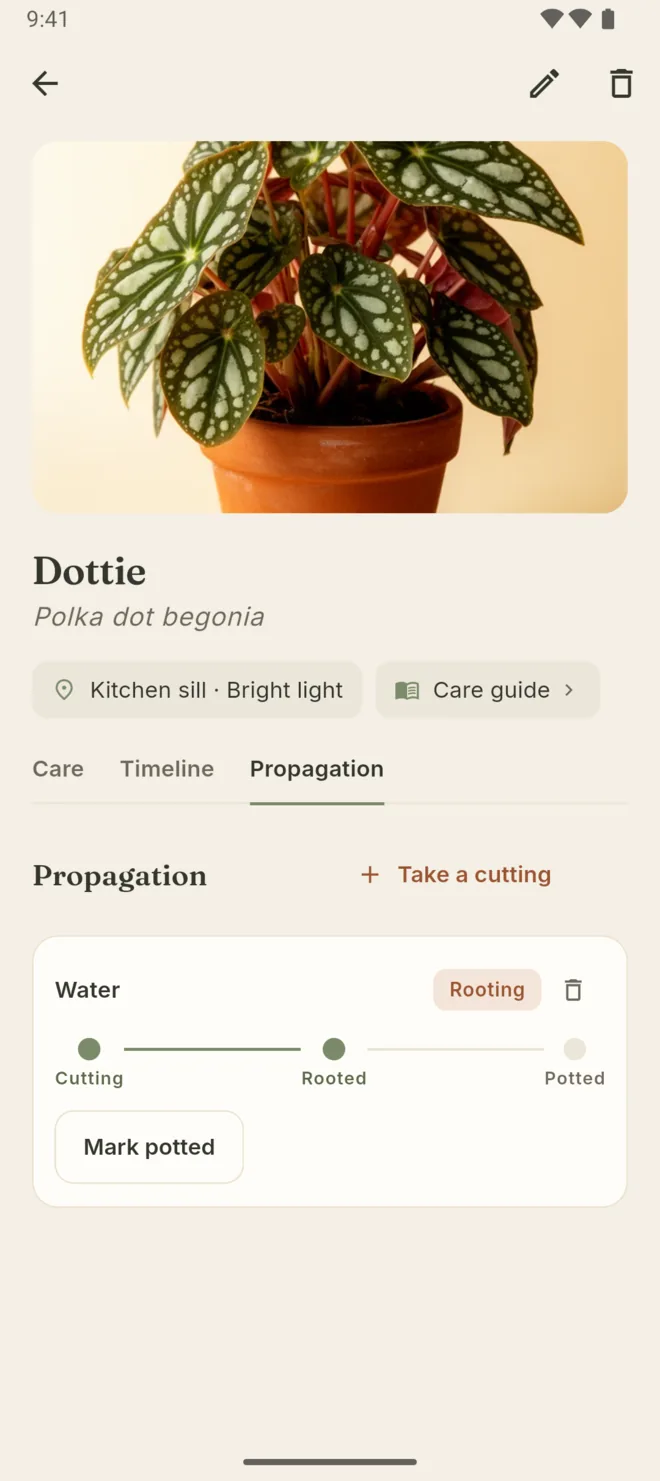
  • Android: a cutting at the rooting stage
    Propagation
  • Android: My plants in the dark theme
    Dark theme

Swipe for all seven

Android tablet

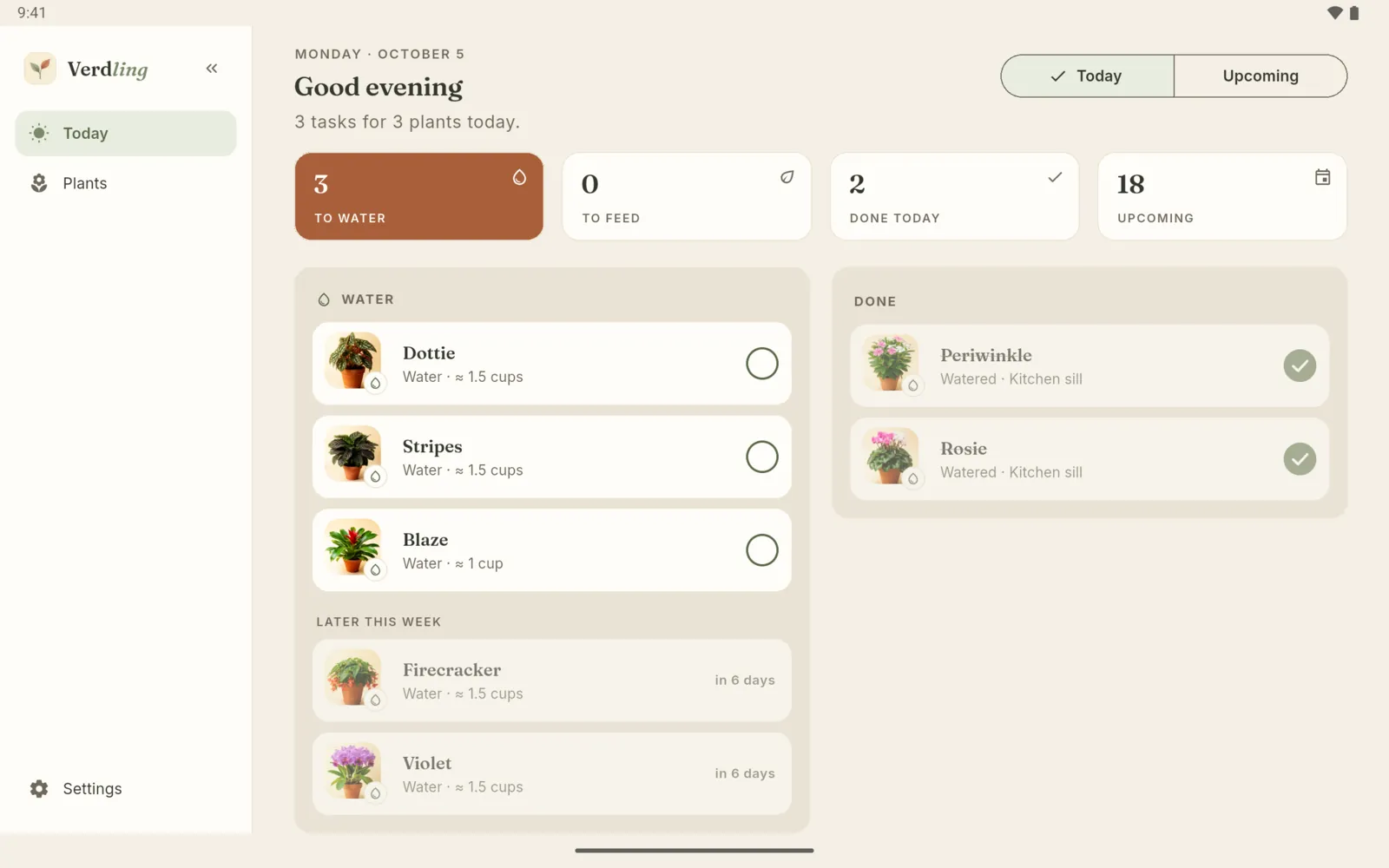
  • Android tablet: Today with counts across the top
    Today
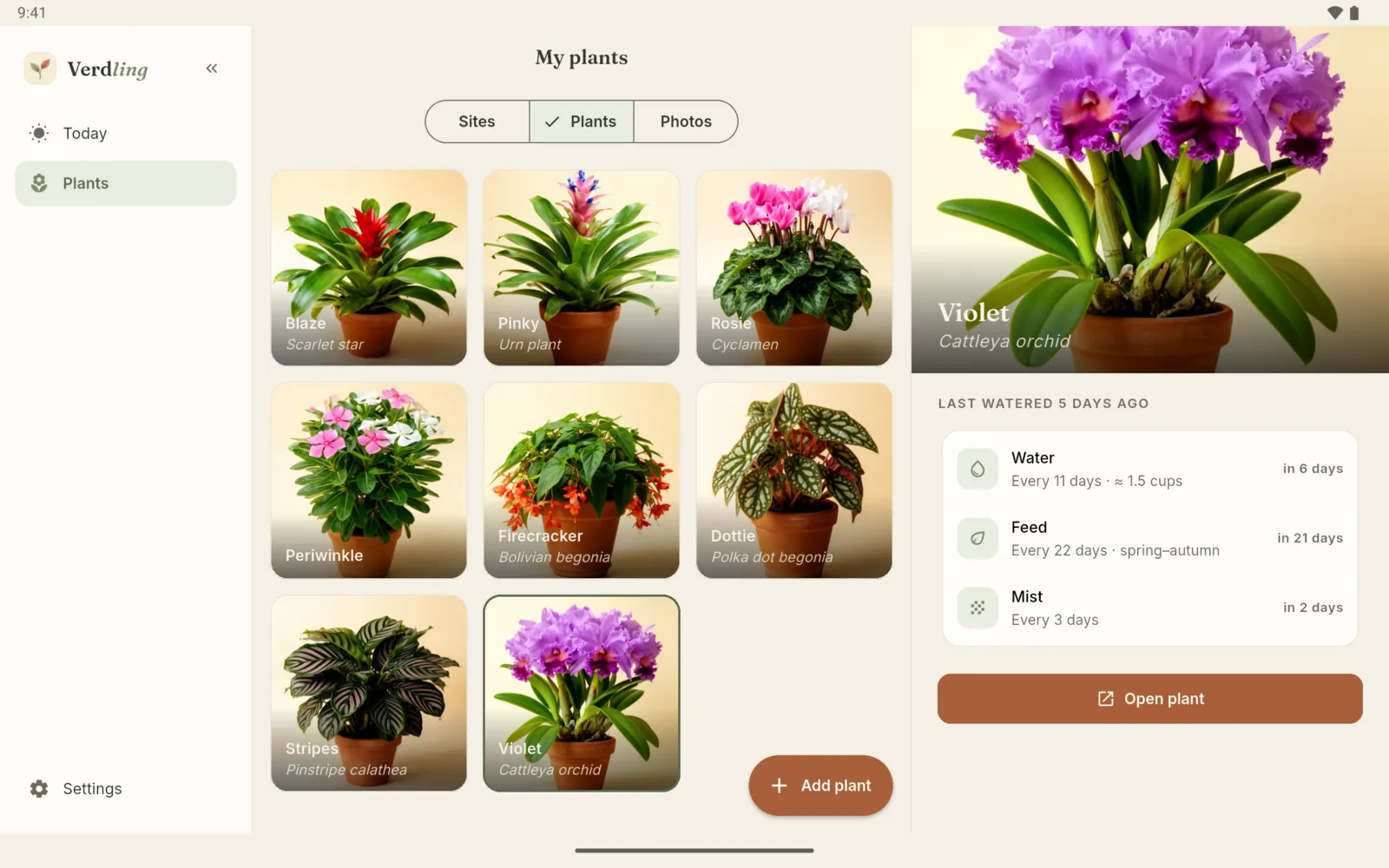
  • Android tablet: the plant grid beside a care summary
    My plants
  • Android tablet: Violet's page
    Plant page
  • Android tablet: the plant grid in the dark theme
    Dark theme

Plants, names and records shown are sample data.

A small shelf, free.

The free app is the full watering tracker for up to 7 plants. Backup and CSV or JSON export are always free.

Free

Up to 7 plantsThe full watering tracker
  • Today, with every care task on screen
  • Watering schedules and the daily watering reminder
  • Photo timelines and propagation
  • The care guide for 417 species
  • 3 saved light readings, and setting light by hand
  • Backup, restore and CSV or JSON export

Verdling Pro

One purchaseA one-time purchase, not a subscription
  • No plant limit
  • Reminders for feeding, misting, repotting and your own tasks
  • The light meter after the free readings
  • Growth photos side by side
  • The plant-sitter care sheet PDF

Pricing is shown in your app store and varies by country. Purchases are processed by Apple or Google Play through RevenueCat. A purchase belongs to the store where you make it.

  • iPhone
  • iPad
  • Android phone
  • Android tablet

Needs iOS or iPadOS 18 or later, or Android 10 or later.

Private by design.

No account is needed. Your plants and photos are kept on your device, and you choose when to back up or export.

No account

Nothing to sign up for. Open the app and add your first plant.

Kept on your device

Your plants, care history and photos are stored on the device you use. There is no cloud sync.

Backup and export, free

Save a full backup with photos to a folder you choose, or to your own iCloud Drive on iPhone and iPad. Export CSV or JSON any time.

Camera only when you ask

The camera is used for plant photos and, on iPhone, the light meter. The meter does not save the camera image.

Diagnostics

Crash and performance diagnostics are on by default, so problems can be fixed. Turn them off in Settings, under About, then Diagnostics.

Works offline

Care tracking needs no signal. Purchases and diagnostics use the internet.

Questions

What is Verdling?

Verdling is a houseplant care tracker. It shows what each plant needs today, reminds you once a day, and lets you edit every schedule. It keeps a photo timeline and propagation record for each plant, measures light with your phone, and includes a care guide for 417 species. It runs on iPhone, iPad and Android.

Do I need an account?

No. There is no sign-up and no login. Your records are kept on your device. In-app purchases and diagnostics use the internet. Crash and performance diagnostics are on by default, and you can turn them off in Settings, under About, then Diagnostics.

Is Verdling free? How does Pro work?

The free app is the full watering tracker for up to 7 plants, with every care task on screen, the daily watering reminder, photo timelines, propagation, the care guide, 3 saved light readings, backup and export. Verdling Pro is a one-time purchase, not a subscription. It removes the plant limit and adds reminders for feeding, misting, repotting and your own tasks, the light meter after the free readings, growth photos side by side, and the plant-sitter care sheet PDF. Pricing is shown in your app store.

Will Verdling nag me?

No. You get one daily reminder that covers all your plants, not one per plant, and no reminders during your quiet hours. You can also snooze any task until tomorrow, for 3 days or for a week.

Can Verdling identify my plant?

No. Verdling is a care tracker, not a plant identification service. Search the 417 species in the reference, or type any name to add a plant that is not listed. Species names and care text are in English.

What happens to my plants if I change phones?

Save a full backup with every plant and photo, and restore it on the new device. On iPhone and iPad you can back up to your own iCloud Drive. Backup and export are always free. There is no cloud sync, so two devices do not stay in step on their own.

Which devices does Verdling run on?

iPhone, iPad, and Android phones and tablets. It needs iOS or iPadOS 18 or later, or Android 10 or later. Verdling is coming soon to the App Store and Google Play.
Keep the plants. Verdling keeps the schedule.

Know what needs water today, and watch every plant grow.